|
|
Lesson Log Overview |
Lesson Log Overview
The Lesson Log is available only if your district has purchased the Texas OER Math or RLA Companion.
The Lesson Log is where you record the lessons you teach, log the time you spend internalizing the Texas OER (Bluebonnet Learning) curriculum, and review feedback from your instructional coach. Open it from Lesson Log in the left menu.
Before you start: the Lesson Log needs your Classes. If the page is empty, that’s why. A Class with no students yet works fine. See Sync or Add New Classes (Set Up Classes and Students).
The page at a glance
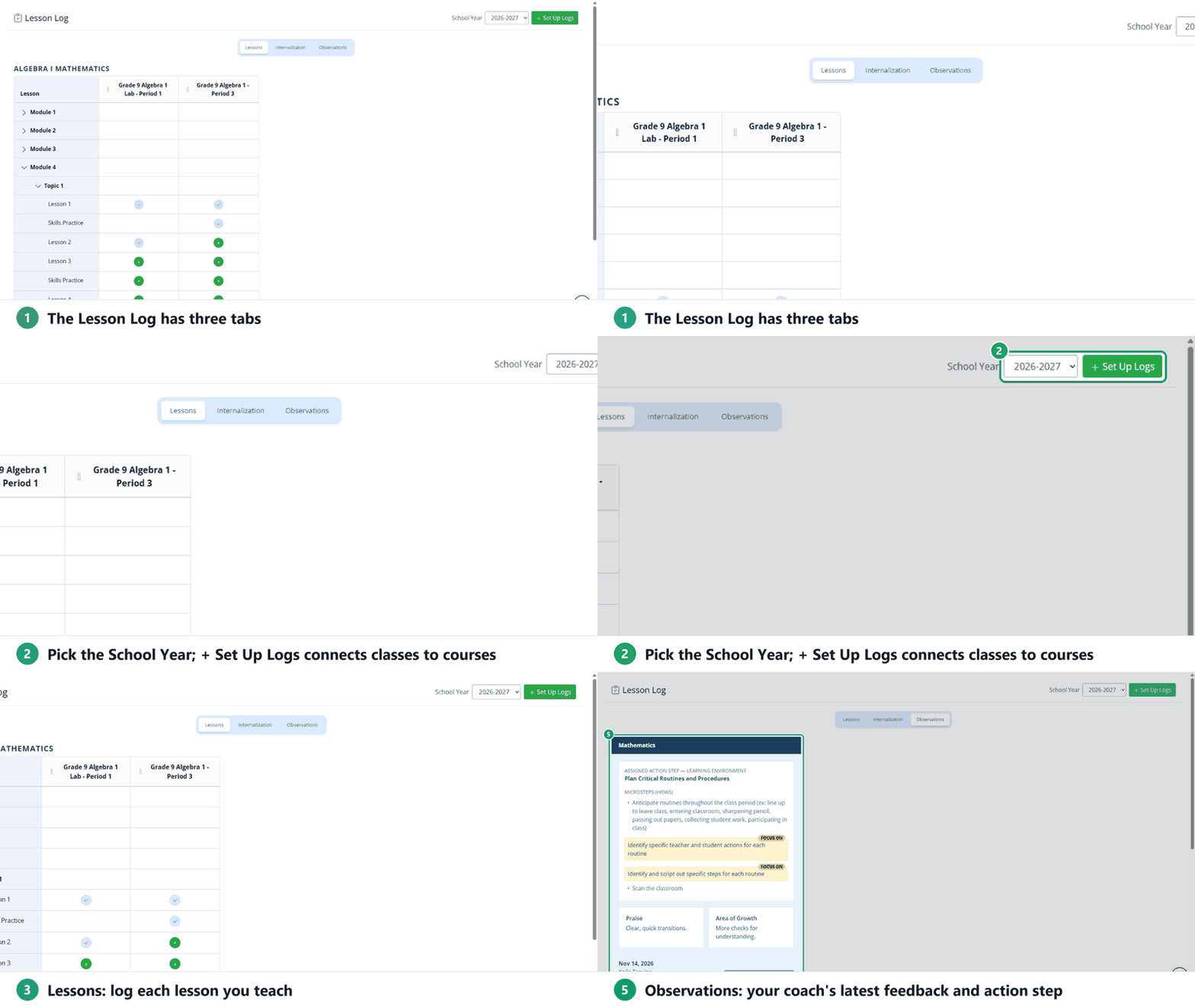
- School Year (top right): pick the year you’re logging.
- + Set Up Logs (top right): connect each class to the course you teach. See Setting Up Your Lesson Logs.
- Lessons: record each lesson as you teach it. Each course is its own section, with your classes as columns. See Using the Lessons Tab.
- Internalization: log the prep you do before teaching, by Module or Topic for Math and by Unit for RLA. See Using the Internalization Tab.
- Observations: your coach’s latest action step and feedback, plus your earlier observations. See Viewing Your Observations and Action Steps.
What’s next
Are you new to Classwork.com? Welcome!
Click here to start your 30 day risk-free PRO trial today.
Was this article helpful?
That’s Great!
Thank you for your feedback
Sorry! We couldn't be helpful
Thank you for your feedback
Feedback sent
We appreciate your effort and will try to fix the article