|
|
Viewing Your Observations and Action Steps |
Viewing Your Observations and Action Steps
The Lesson Log is available only if your district has purchased the Texas OER Math or RLA Companion.
The Observations tab is where you review feedback from your instructional coach: your current action step, the microsteps to work on, and what went well. It’s for reading only; your coach or administrator writes the observations.
The Observations tab appears only if your district runs classroom observations as part of its coaching work.
Your latest observation
Each subject you’ve been observed in has its own card with:
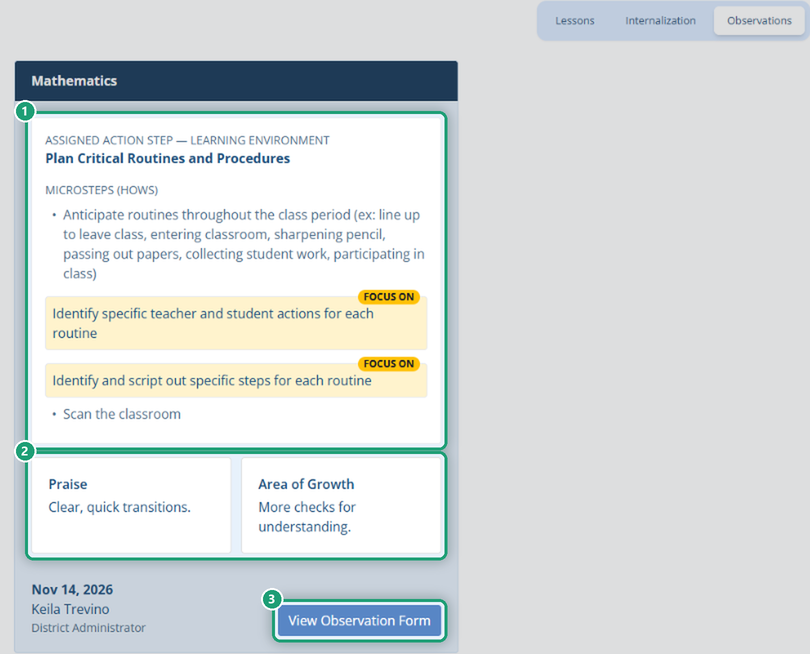
- Assigned Action Step and its focus area (for example, Learning Environment).
- Microsteps (Hows): the concrete moves that make up the action step. The ones marked Focus On are where to start.
- Praise and Area of Growth from the debrief.
- The date, and your coach’s name and role.
Click View Observation Form to read the full observation, including the coach’s observation notes. A submitted observation can’t be changed.
Your current action step also appears at the top of each long-form lesson log, where you can check I did it! once you’ve completed it. See Using the Lessons Tab.
Teach more than one subject?
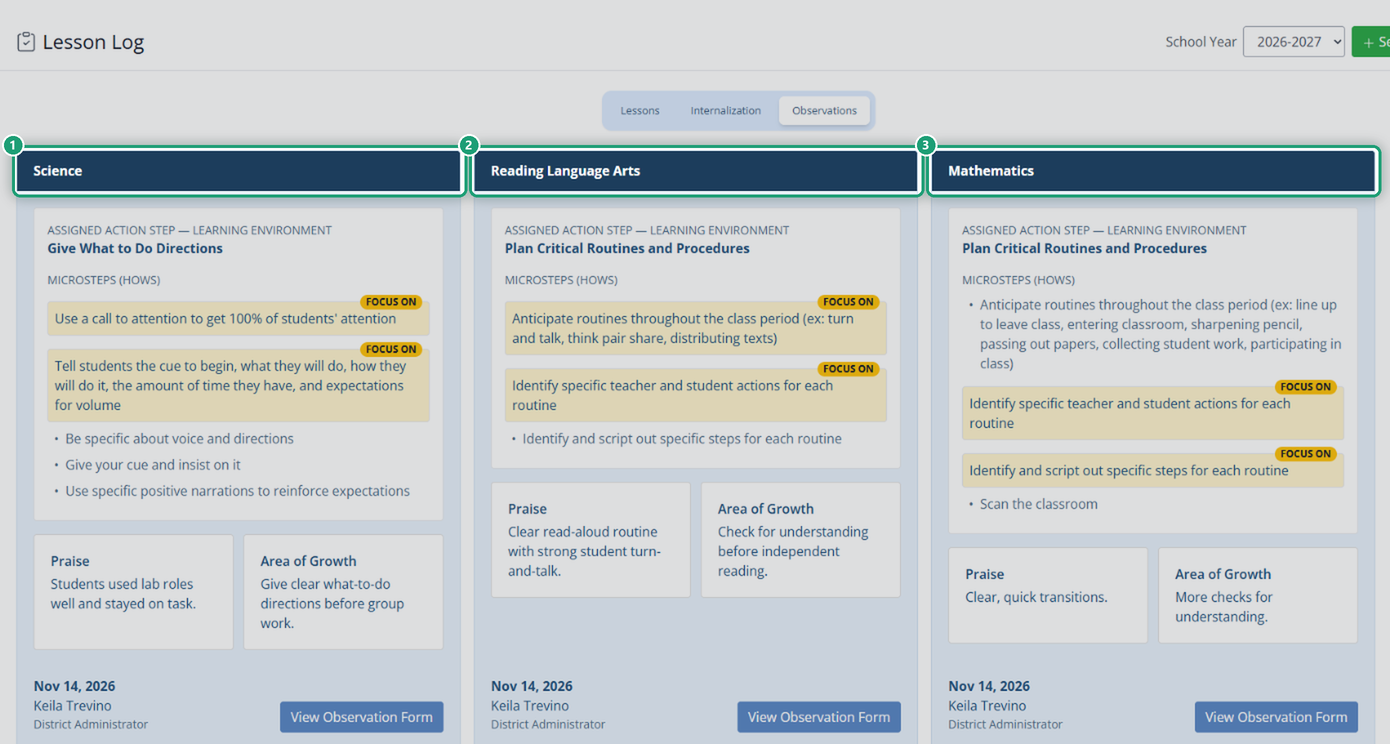
If you’re observed in more than one subject (for example, you’re an inclusion teacher or you teach several subjects), you get a separate card for each subject, side by side. Math and RLA each get their own card, and so do observations in other subjects, such as Science. Each card shows your most recent observation in that subject.
Previous observations
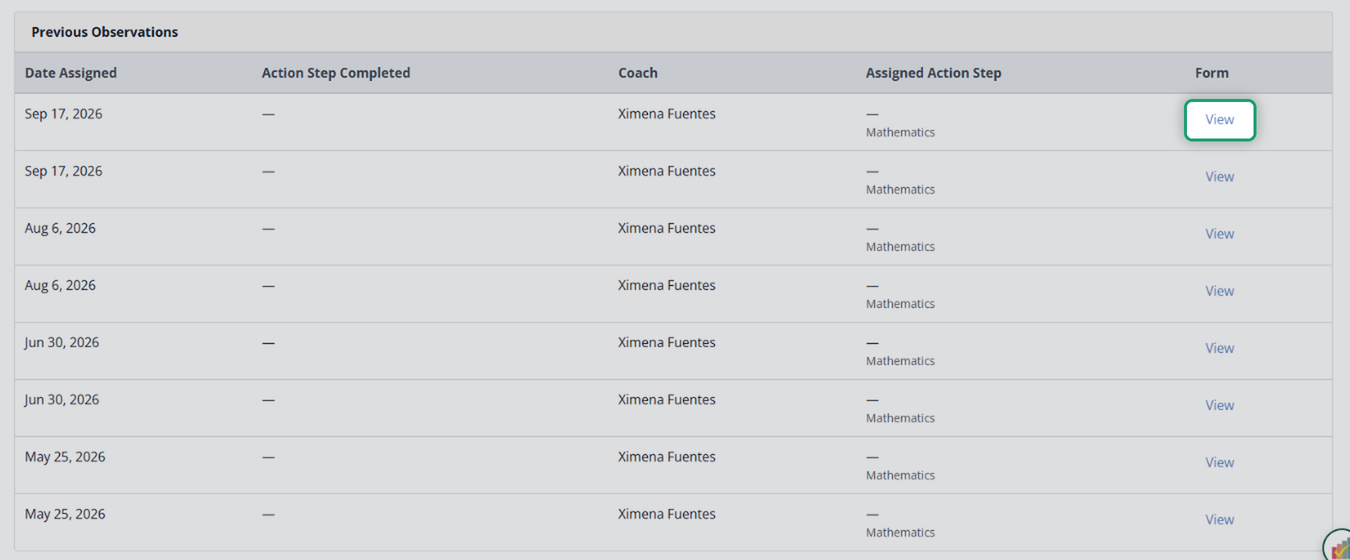
Below the cards, Previous Observations lists your history: the date assigned, when you completed the action step, your coach, the action step, and a View link to each form.
For coaches and administrators
Observations come from the Coaching page. See Coaching: Log a Classroom Observation.
Was this article helpful?
That’s Great!
Thank you for your feedback
Sorry! We couldn't be helpful
Thank you for your feedback
Feedback sent
We appreciate your effort and will try to fix the article