|
|
Using the Lessons Tab |
Using the Lessons Tab
The Lesson Log is available only if your district has purchased the Texas OER Math or RLA Companion.
The Lessons tab is where you record each lesson as you teach it. Each course is its own section (for example, Algebra I Mathematics), with the Modules, Topics, Units and Lessons down the side and your classes across the top.
Logging feeds your pacing report, documents your work for the LIFT grant, and, on the long form, builds a daily habit of reflection.
Log a lesson
Find the lesson and the class you taught it to, then click the green +. A blue check means the lesson is logged for that class.
To change the order of your sections or classes, drag them by the dotted handle next to the name.
Short form or long form?
Your district decides which form you use. You can’t switch it yourself.
Short form
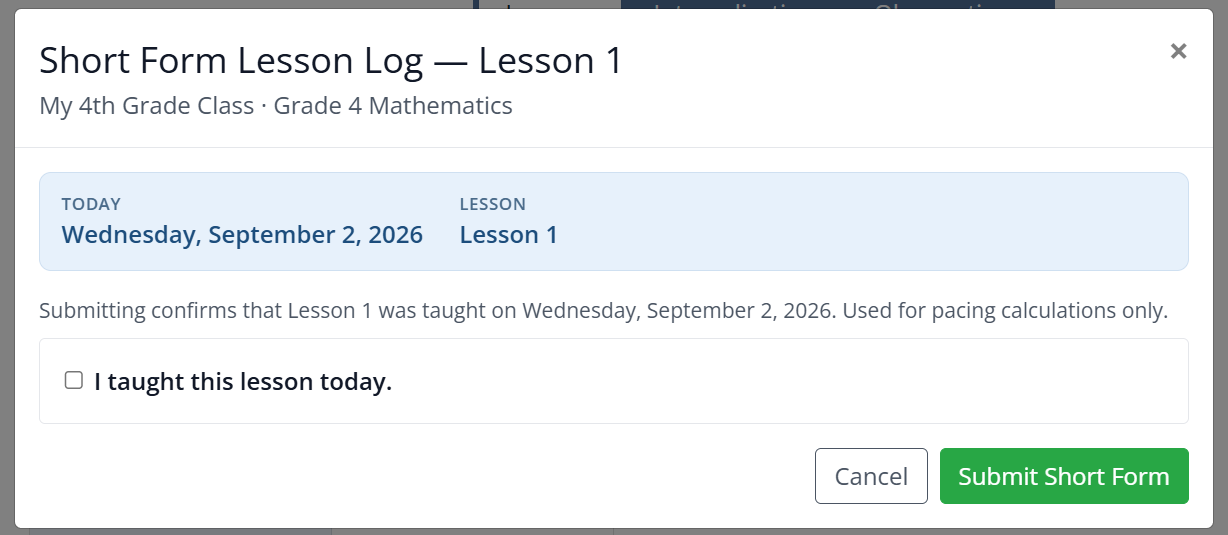
The short form only confirms you taught the lesson. Check I taught this lesson today and click Submit Short Form. It’s used for pacing only.
Long form
The long form is a quick, guided reflection.
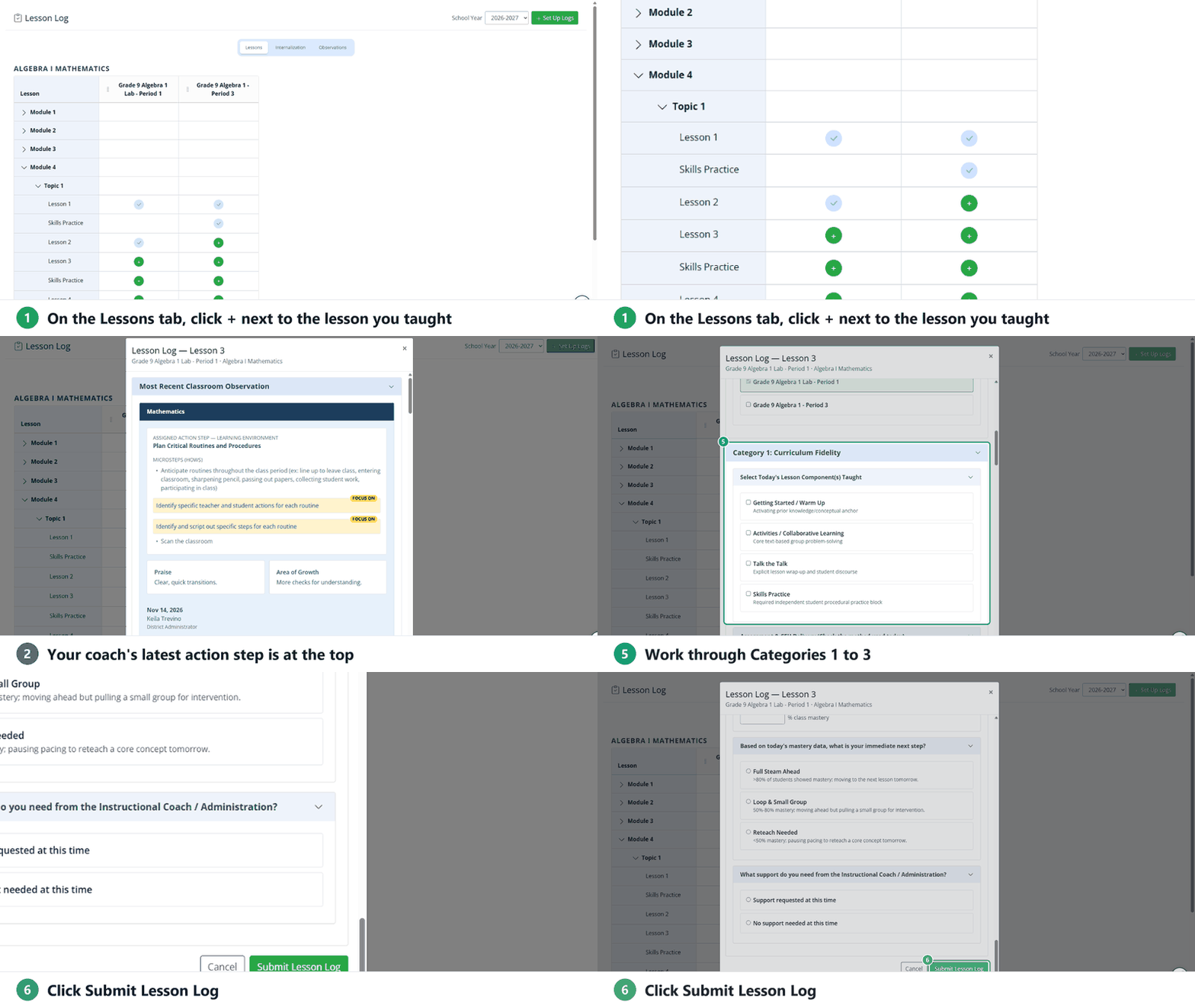
- Most Recent Classroom Observation: if your coach has observed you, your current action step and its microsteps are at the top. Check I did it! once you’ve completed it.
- Classes Taught: teach the same lesson to several classes? Check them under Copy this log to every class you select to log them all at once.
- Category 1: Curriculum Fidelity: check the lesson components you taught (they match the course; Algebra I, for example, lists Getting Started / Warm Up, Activities / Collaborative Learning, Talk the Talk and Skills Practice), how you checked for understanding and, if you left a component out, the main reason.
- Category 2: Heavy Lifting & Environment: your instructional look-fors, the scaffolds you provided (the Planned column comes from your Internalization log), who did the “heavy lifting” during the core task, and the student engagement level.
- Category 3: Next Steps & Support: your class mastery from today’s Classwork assessment (leave it blank if there’s none), your next step (Full Steam Ahead, Loop & Small Group or Reteach Needed), and whether you need support from your coach or an administrator.
Click Submit Lesson Log when you’re done. Cancel closes the form without logging the lesson.
Reading and Foundation Skills (Grades K–3)
For RLA in Grades K–3, you have two sections, Reading and Foundation Skills. Log both each day to keep your pacing accurate.
Was this article helpful?
That’s Great!
Thank you for your feedback
Sorry! We couldn't be helpful
Thank you for your feedback
Feedback sent
We appreciate your effort and will try to fix the article