|
|
Administration - Manage Activity Types |
Manage Activity Types
For Curriculum Managers.
Activity types let your district tag activities by what they’re for (a unit test, an exit ticket, daily practice) so reports can count them separately. You set up the categories and types; Curriculum Authors and Curriculum Managers tag the activities.
Categories and types
- A category is the group, such as Assessment or Coursework.
- A type sits inside a category, such as Formative and Summative under Assessment.
Add a category and types
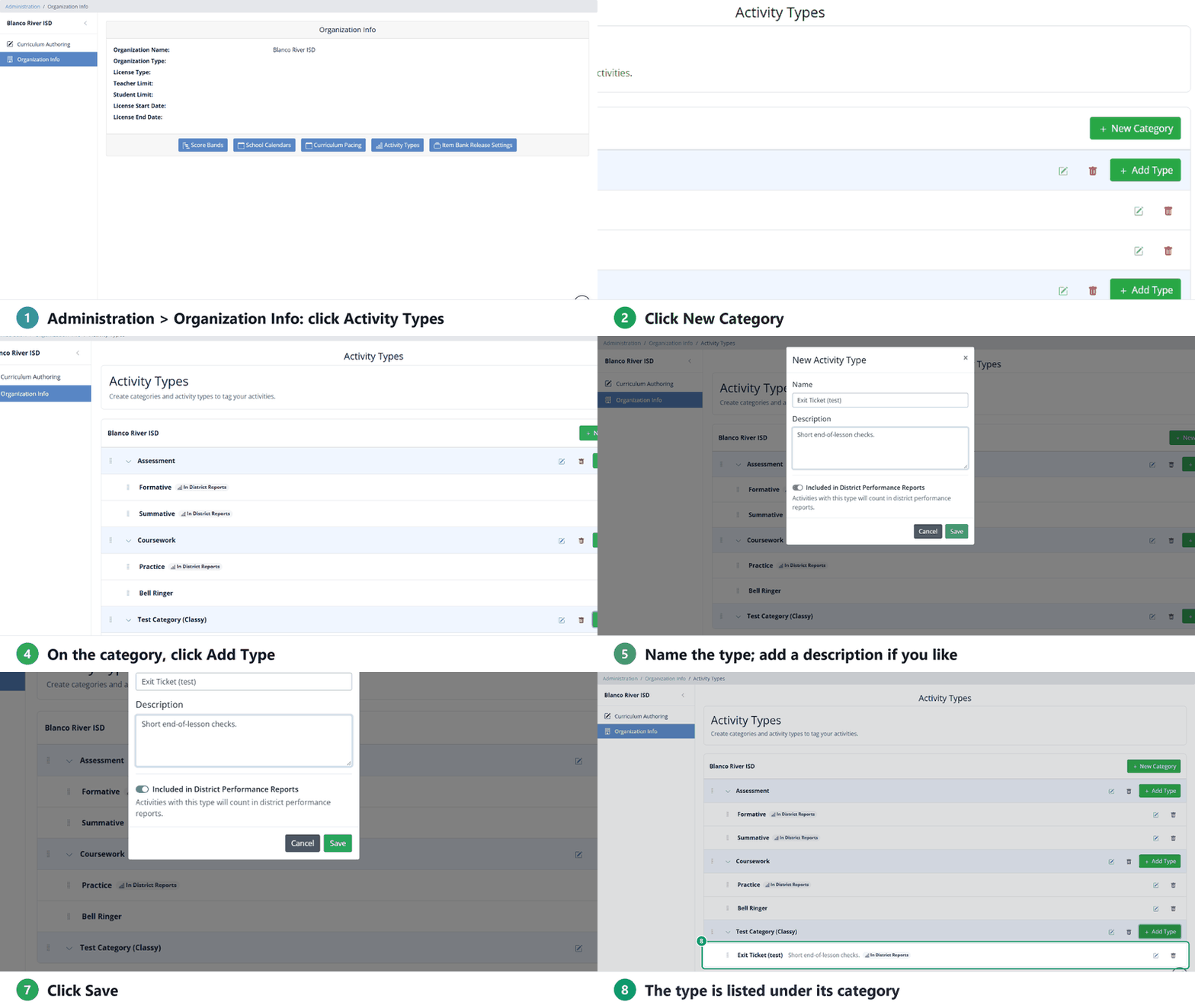
- Go to Administration > Organization Info and click Activity Types.
- Click New Category, type a name, and click Save.
- On the category, click Add Type.
- Type a Name and, if you like, a Description so other Curriculum Managers know what it’s for.
- Leave Included in District Performance Reports on if activities with this type should count in district performance reports by default. Turn it off for work you don’t want counted automatically, such as warm-ups.
- Click Save.
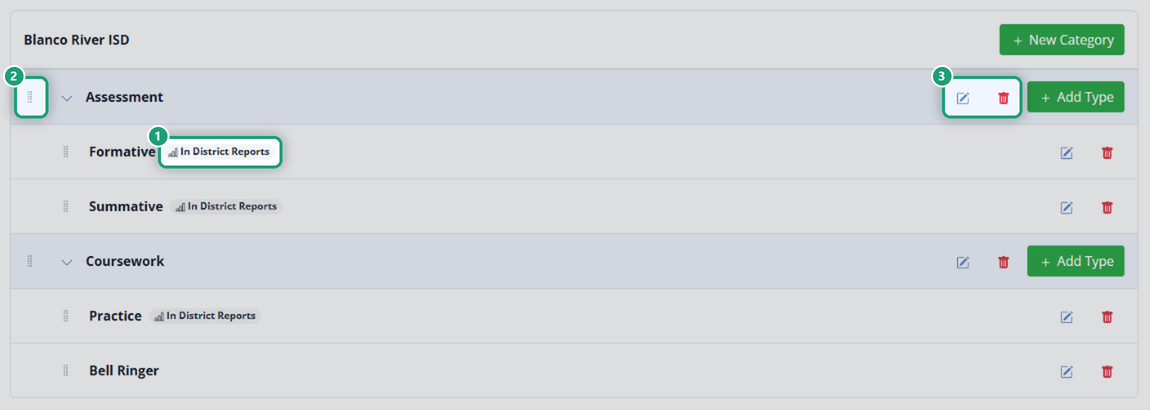
Types that count show In District Reports next to their name.
A type that’s switched off isn’t hidden: anyone running a report can still pick it in the Select Activity Types filter. The switch only decides what counts by default.
Edit, reorder and delete
- Click the pencil to rename a category, or to change a type’s name, description or reporting switch.
- Drag the handle at the left to reorder categories and types.
- Click the trash can to delete one. Deleting a category also deletes the types in it.
How they’re used
Curriculum Authors and Curriculum Managers tag activities with a type on the activity’s detail screen. Teachers don’t tag their own, which keeps tags consistent across the district. The tags power the Select Activity Types filter in reports.
Set up activity types early in the school year, before much work has been assigned.
Related
Was this article helpful?
That’s Great!
Thank you for your feedback
Sorry! We couldn't be helpful
Thank you for your feedback
Feedback sent
We appreciate your effort and will try to fix the article