|
|
Coaching: Log a Coaching Meeting |
Coaching: Log a Coaching Meeting
Coaching is available only if your district has purchased the Texas OER Math or RLA Companion.
Log your coaching conversations with teachers: the follow-up after an observation, or a meeting on its own. Each meeting records the topics you covered and your private notes.
New to Coaching? Start with Coaching: Get Started and Set Up Coaching.
Log a follow-up after an observation
- On the Coaching page, click the teacher under Coaching Partners.
- Find the observation you submitted and click Add Meeting next to it.
- Your observation shows on the left so you can refer to it. It can’t be changed here.
- Under Topics Covered, check everything you discussed: Pacing, Cognitive Lift, Fidelity, Accommodations or Other.
- Add Coach’s Private Notes if you like. They’re hidden from the teacher; only coaches and district administrators see them.
- Click Submit Coaching Log, then Submit to confirm.
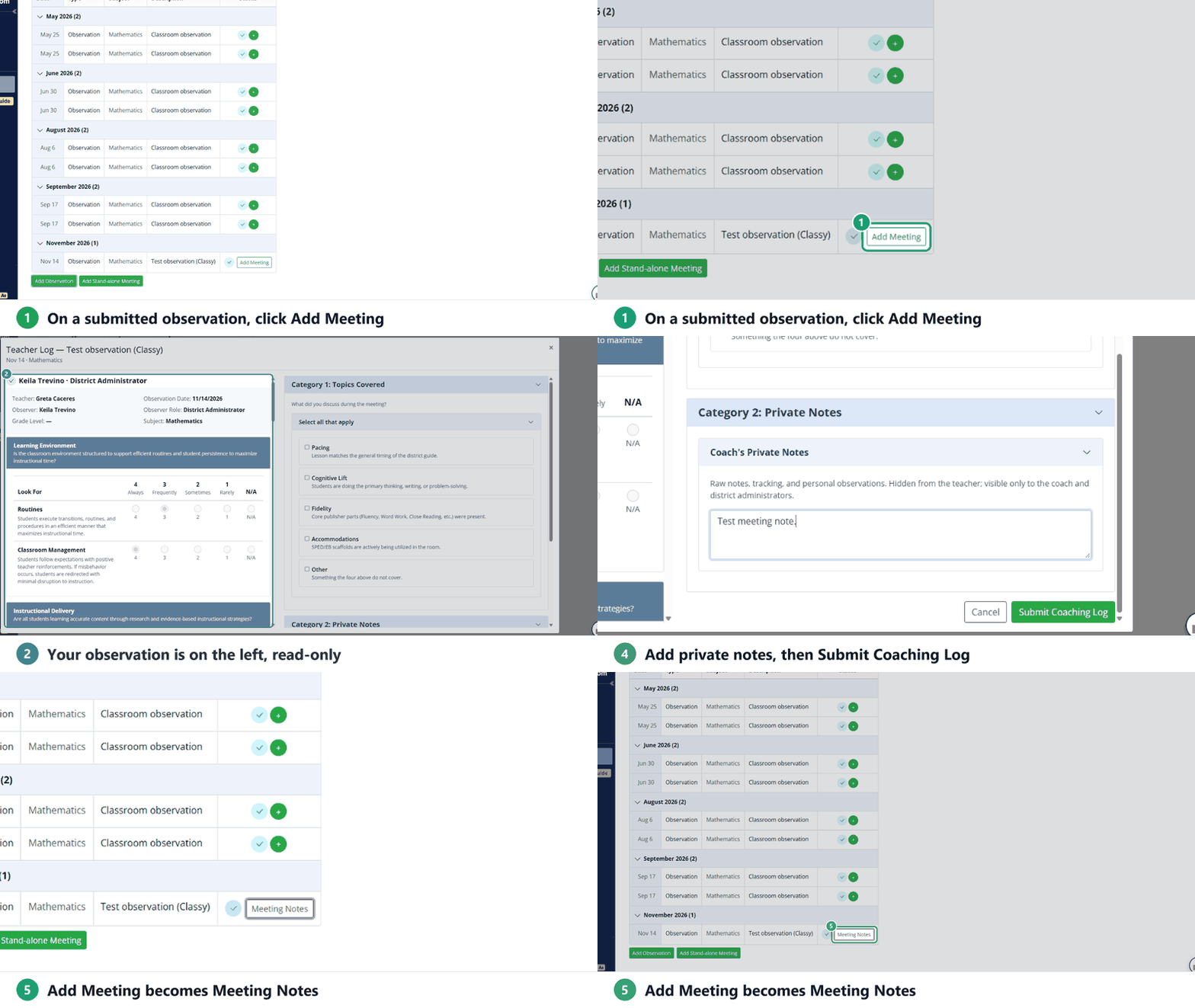
Add Meeting changes to Meeting Notes. Click it any time to read the meeting.
Log a stand-alone meeting
For a conversation that isn’t tied to an observation:
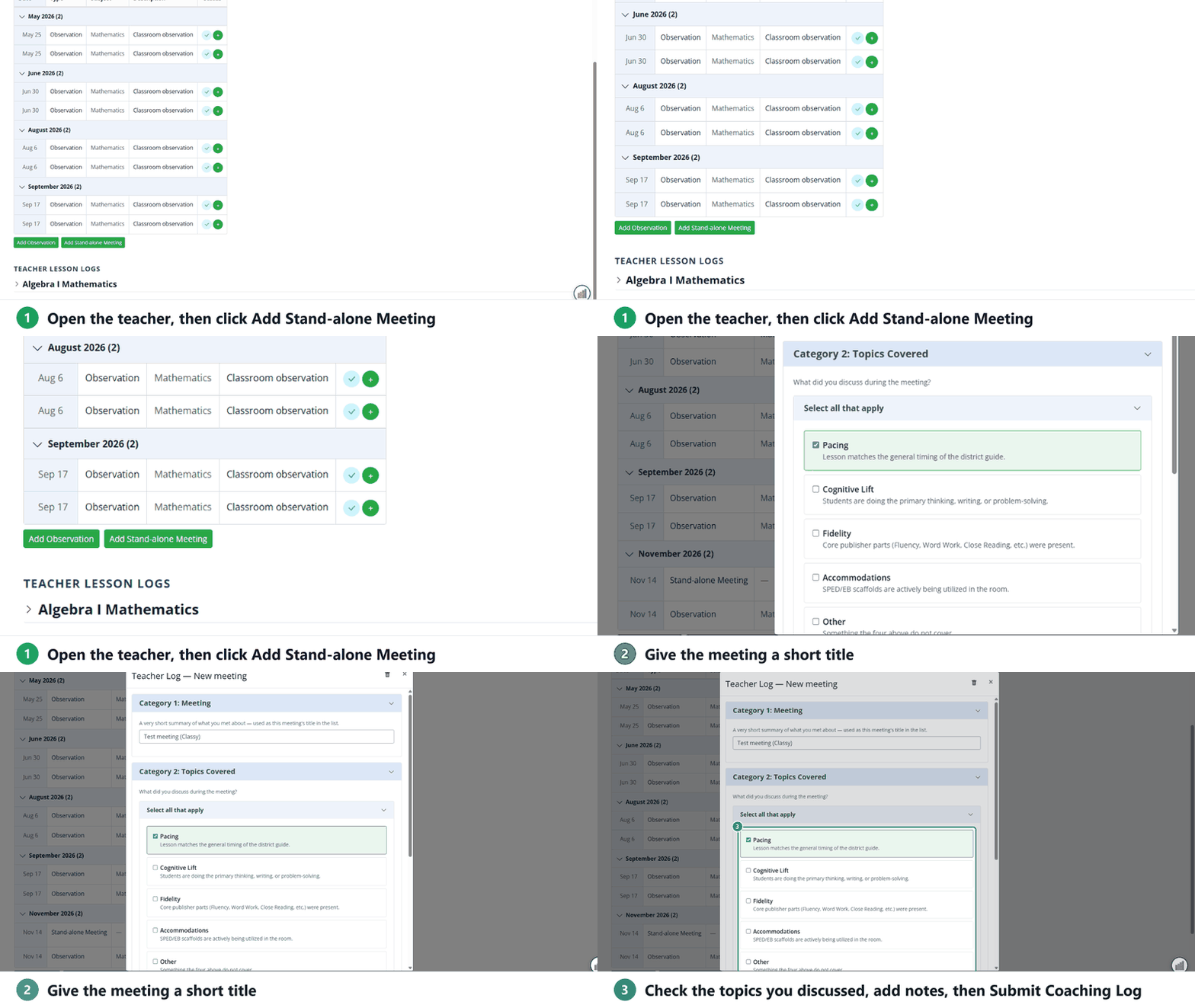
- Open the teacher’s coaching log and click Add Stand-alone Meeting.
- Under Meeting, type a short title, such as Pacing plan for Unit 3. It’s how the meeting is listed.
- Check the Topics Covered and add Coach’s Private Notes.
- Click Submit Coaching Log, then Submit.
Saving, submitting and deleting
- A meeting saves as you work and shows as In Progress until you submit it.
- Once submitted, a coaching log can’t be edited. You can still open and read it.
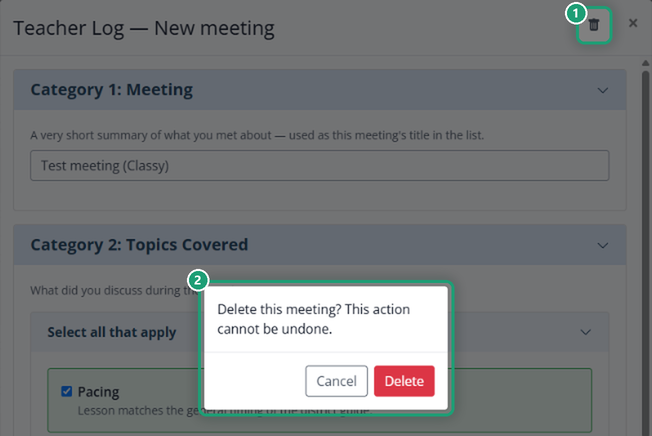
- To throw away a meeting you haven’t submitted, open it, click the trash can at the top, then Delete.
Related
- Coaching: Log a Classroom Observation
- Coaching: Set Up and Log PLC Meetings
- Coaching: Use the Lesson Log Report: every meeting you log shows there as a Coach–Teacher Meeting.
Are you new to Classwork.com? Welcome!
Click here to start your 30 day risk-free PRO trial today.
Was this article helpful?
That’s Great!
Thank you for your feedback
Sorry! We couldn't be helpful
Thank you for your feedback
Feedback sent
We appreciate your effort and will try to fix the article