|
|
Can I Center Text in an Open Answer Box? |
Can I Center Text in an Open Answer Box?
It depends on whose text it is. Starter Text that you put inside the answer box always stays left-aligned. Students can center their own answers when rich text is on, and your Teacher Notes can be centered. To show a centered question, put it outside the answer box.
| Text | Can it be centered? |
|---|---|
| Starter Text (inside the answer box) | No, it stays left-aligned |
| A student’s answer | Yes, with the rich text toolbar |
| Teacher Notes (only you see them, when scoring) | Yes |
| The question itself | Yes, in the Flex Prompt or in a Slide Text box above the answer box |
Flex Editor
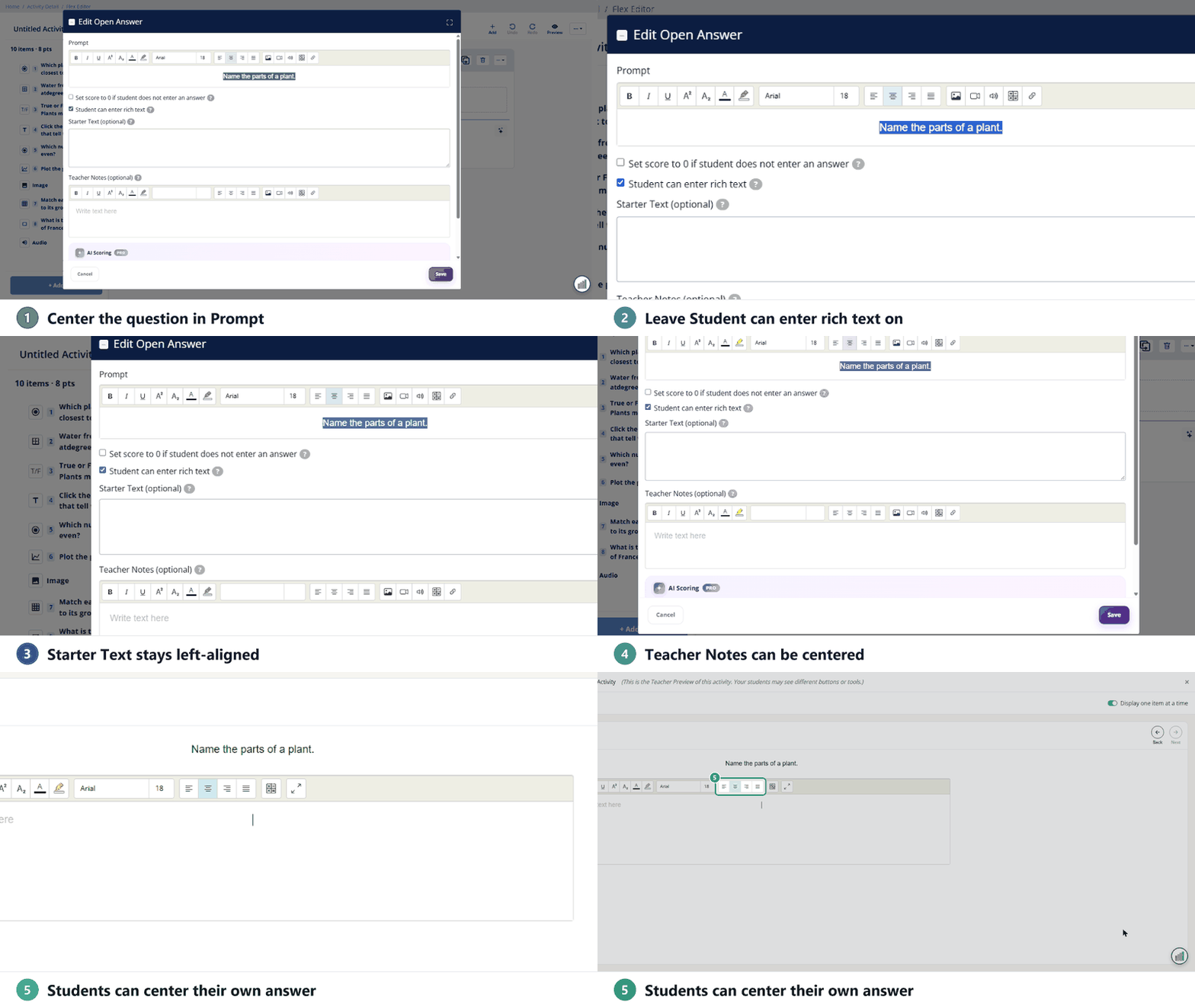
- Click Edit on the Open Answer item.
- Type the question in Prompt, select it, and center it with the alignment button. The prompt stays visible above the answer box while students type.
- Check Student can enter rich text (it’s off to start in the Flex Editor) so students can format their answers, including centering.
- Click Save.
Slide Editor
A Slide Open Answer box has no prompt of its own, and its Starter Text disappears when students start typing. To show a centered question:
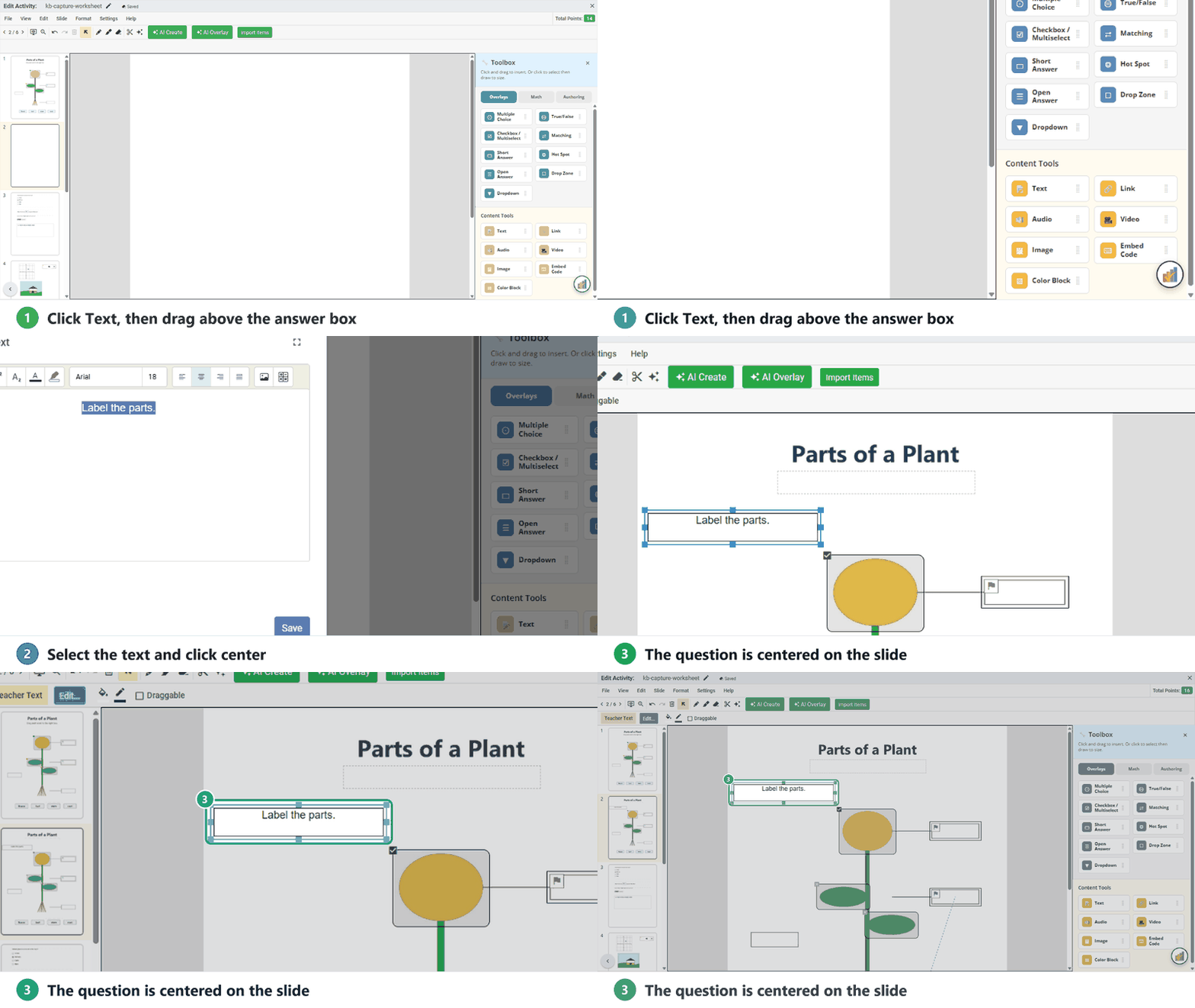
- In the Tool Box, under Content Tools, click Text and draw a box just above the Open Answer box.
- Type the question in Edit Teacher Text, select it, and center it.
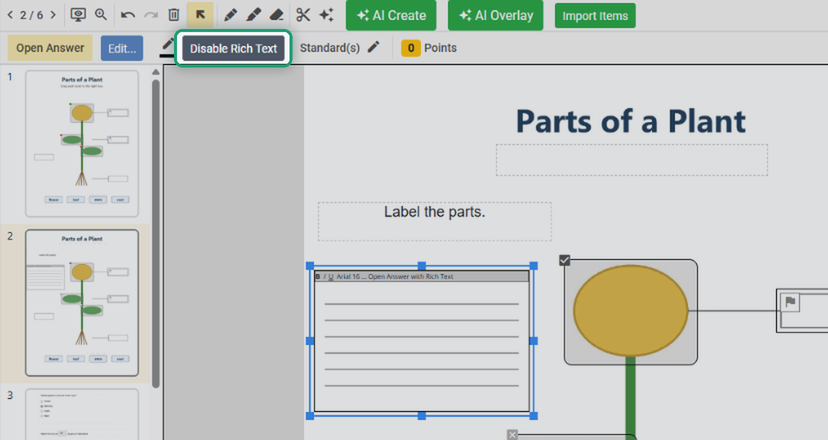
Students can center their own answers as long as rich text is on, which it is to start in the Slide Editor. Select the Open Answer box: if the toolbar shows Disable Rich Text, rich text is on. Don’t click it.
What students see
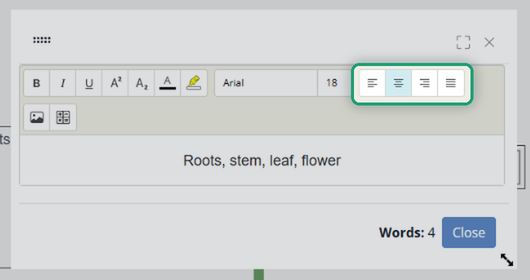
With rich text on, students get a formatting toolbar with alignment buttons. In the Flex Editor it sits above the answer box. In the Slide Editor it opens in a pop-up when students click the box, with a word count and Close.
Related: How Do I Keep My Question Visible in an Open Answer Box? and Using the Open Answer Question Type.
Was this article helpful?
That’s Great!
Thank you for your feedback
Sorry! We couldn't be helpful
Thank you for your feedback
Feedback sent
We appreciate your effort and will try to fix the article