|
|
Can I Translate Audio or Assignments Into Spanish? |
Can I Translate Audio or Assignments into Spanish?
Partly. Read Aloud can read an Activity aloud in Spanish, but Classwork.com doesn’t translate the text of Activities or Assignments. You can build them in Spanish yourself, though: type in any language, turn on Special Characters for accented letters, ask the AI tools to write in Spanish, and record your own audio.
Let students hear it in Spanish
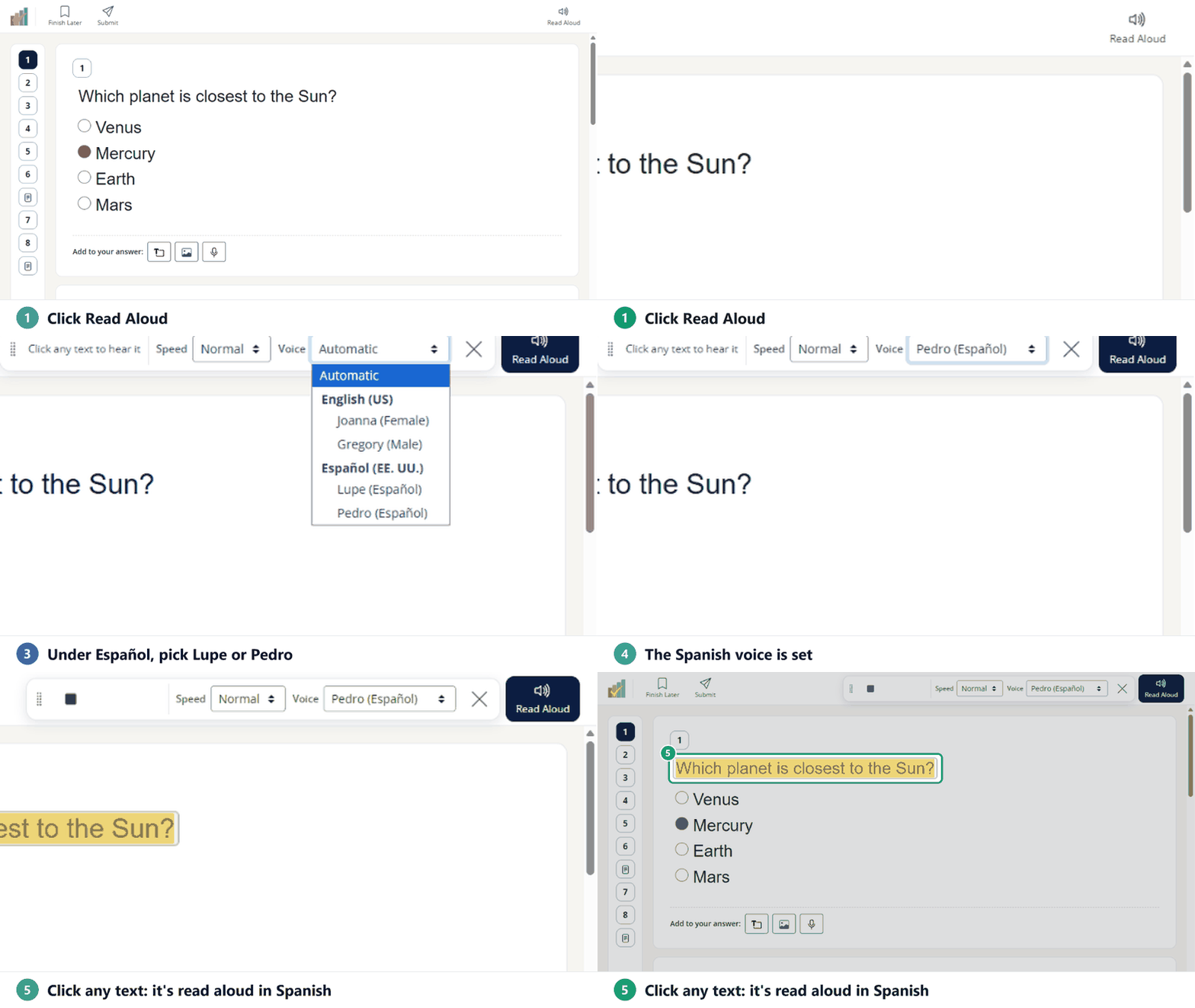
Turn on Read Aloud in the assignment’s Student tools. In a Flex Activity, students click Read Aloud, open the Voice menu and pick Lupe (Español) or Pedro (Español). Whatever they click is then read aloud in Spanish, even if the Activity is written in English. The words on the screen stay in English. In a Slide Activity, students pick the Spanish voice in the Read Aloud panel.
See How Do I Use the Read Aloud (Text-to-Speech) Tool?
Turn on Special Characters
Special Characters gives students a set of accented letters and punctuation (á, ñ, ¿, ¡ and more) when they type in Short Answer, Open Answer or Text boxes. You turn it on for each Activity. Pick more than one language and the characters are combined.
Flex Editor
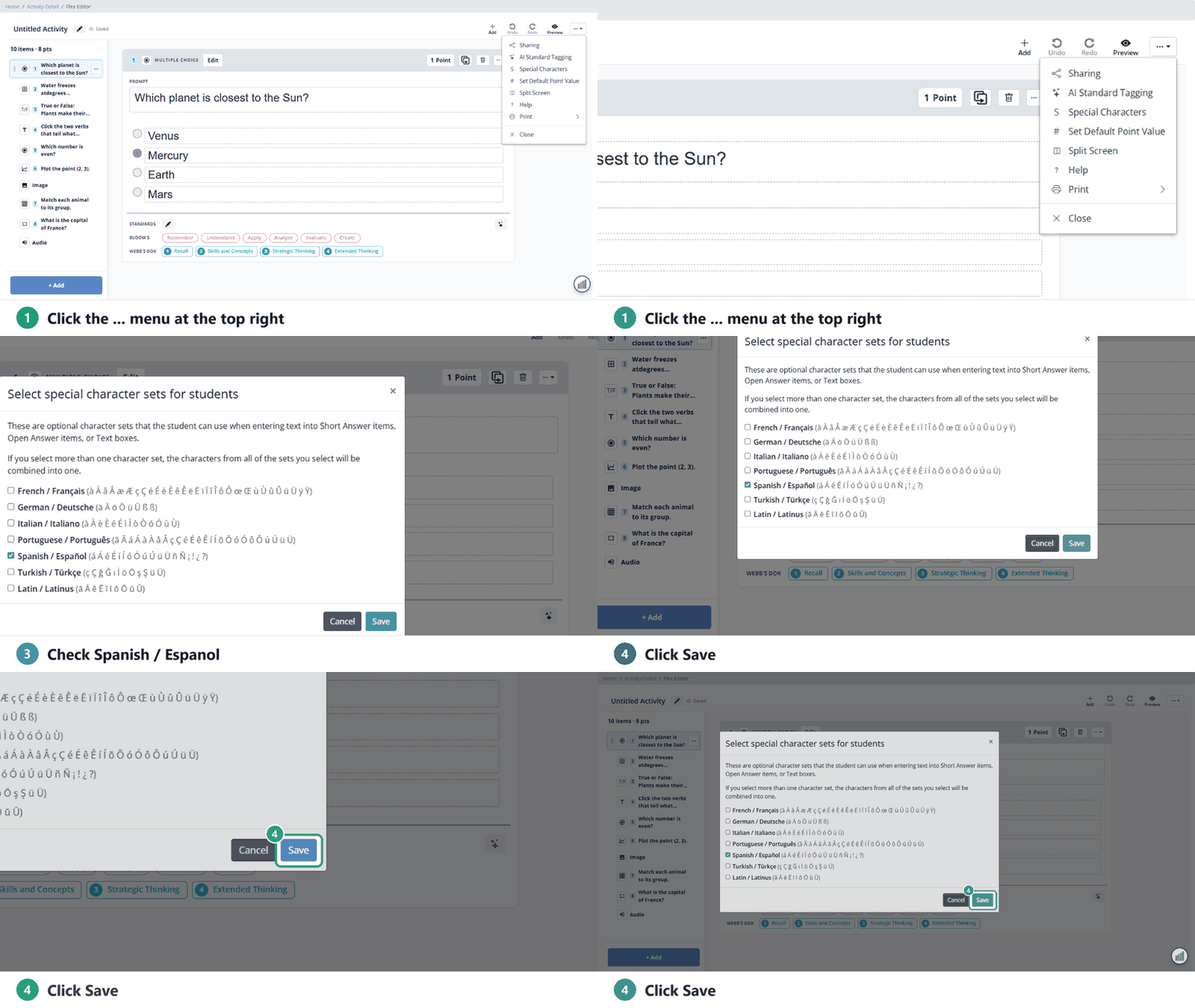
- Open the Activity in the Flex Editor.
- Click the … menu at the top right.
- Click Special Characters.
- In Select special character sets for students, check Spanish / Español (and any others) and click Save.
Slide Editor
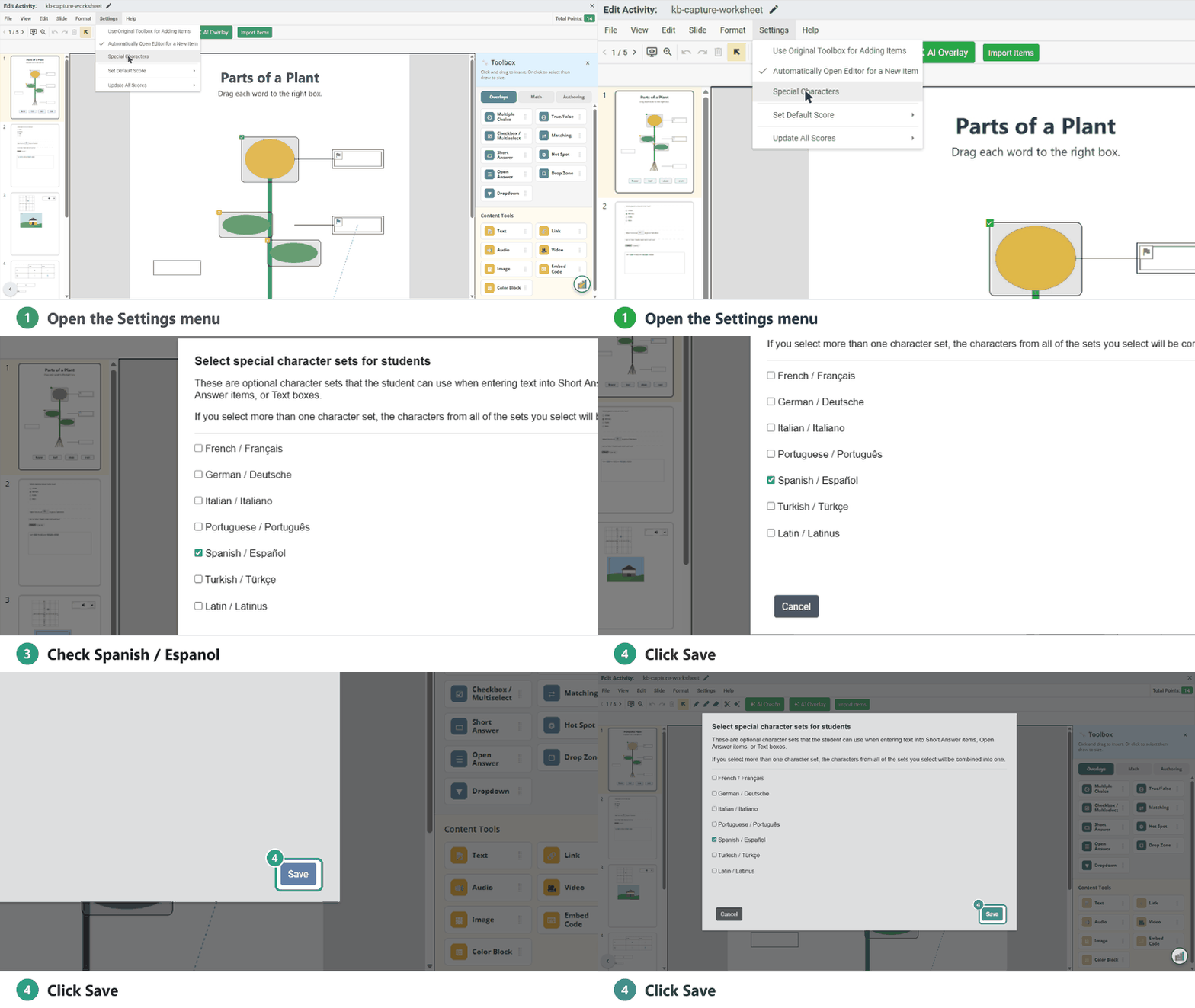
- Open the Activity in the Slide Editor.
- Choose Settings → Special Characters.
- Check Spanish / Español (and any others) and click Save.
For a Short Answer question, students must type the accents exactly to be marked correct. To accept answers with or without accents, add each version as a correct answer.
More detail: Using Special Characters or Non-English Languages in Classwork.com.
Have AI write it in Spanish
Use Create with AI (Flex Editor, in the + Add window) or AI Create (Slide Editor toolbar) to make passages and questions, and say in your request that you want them in Spanish. Read through the result before you assign it.
Add Spanish audio
Audio you record or upload isn’t translated, so record your own in Spanish (up to 5 minutes) or upload a file. See Adding Audio to an Activity.
Was this article helpful?
That’s Great!
Thank you for your feedback
Sorry! We couldn't be helpful
Thank you for your feedback
Feedback sent
We appreciate your effort and will try to fix the article