|
|
Create Questions by Grade Level and Subject |
Create Questions by Grade Level and Subject
Applies to: Flex Editor & Slide Editor
Need practice questions on a topic but don’t want to start from a standard or a passage? Tell Classwork.com’s AI the grade and what to ask about, and it writes the questions.
Open it
- Flex Editor: click + Add, then the Create with AI tab.
- Slide Editor: click the green AI Create button in the toolbar.
Then click Create Questions by Grade and Subject.
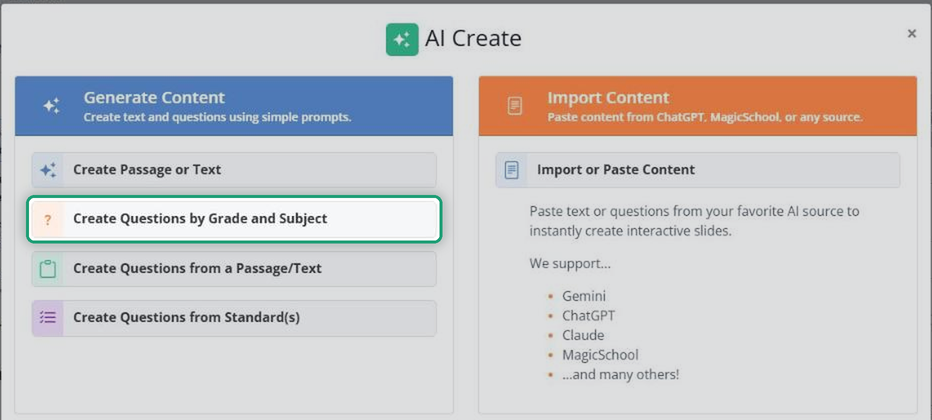
Generate the questions
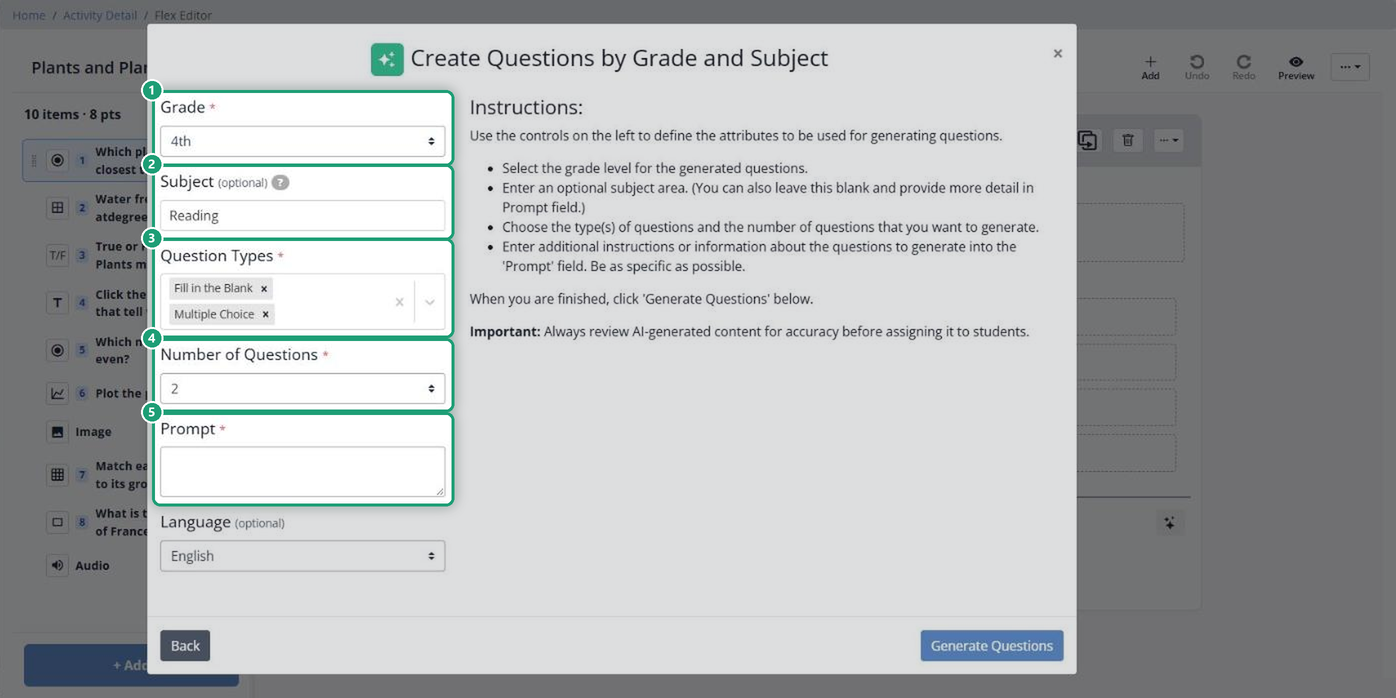
- Choose the Grade.
- Type a Subject, such as Math, Science or English (optional).
- Under Question Types, choose one or more types, such as Multiple Choice or True / False.
- Set the Number of Questions.
- In Prompt, describe the topic or skill. Be specific: “5 questions on the difference between simile and metaphor” works better than “figurative language.”
- Change the Language if you need to (optional; English is the default).
- Click Generate Questions.
Review and add them
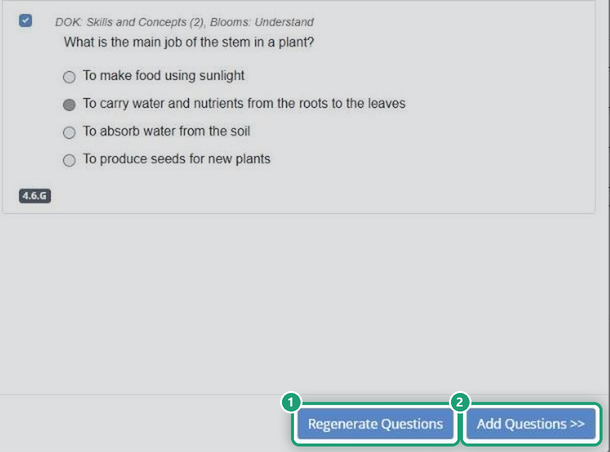
The questions appear for you to read and edit.
- Regenerate Questions writes a new set. Use it after you change the settings.
- Add Questions puts them in your Activity.
Always check AI-made questions before you assign them. Make sure each one is accurate and has the right answer marked.
Related articles
Are you new to Classwork.com? Welcome!
Click here to start your 30 day risk-free PRO trial today.
Was this article helpful?
That’s Great!
Thank you for your feedback
Sorry! We couldn't be helpful
Thank you for your feedback
Feedback sent
We appreciate your effort and will try to fix the article