|
|
Create Questions from Standard(s) |
Create Questions from Standard(s)
Applies to: Flex Editor & Slide Editor
Pick a learning standard and Classwork.com’s AI writes questions aligned to it, already tagged with that standard.
Open it
- Flex Editor: click + Add, then the Create with AI tab.
- Slide Editor: click the green AI Create button in the toolbar.
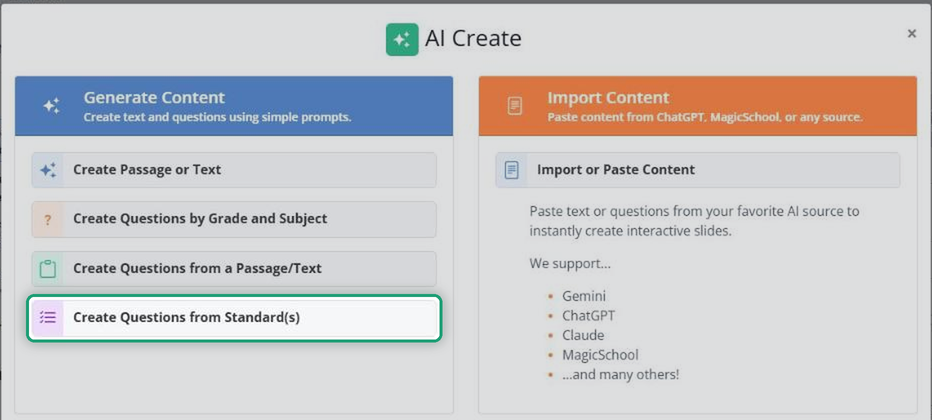
Then click Create Questions from Standard(s).
Choose your standard
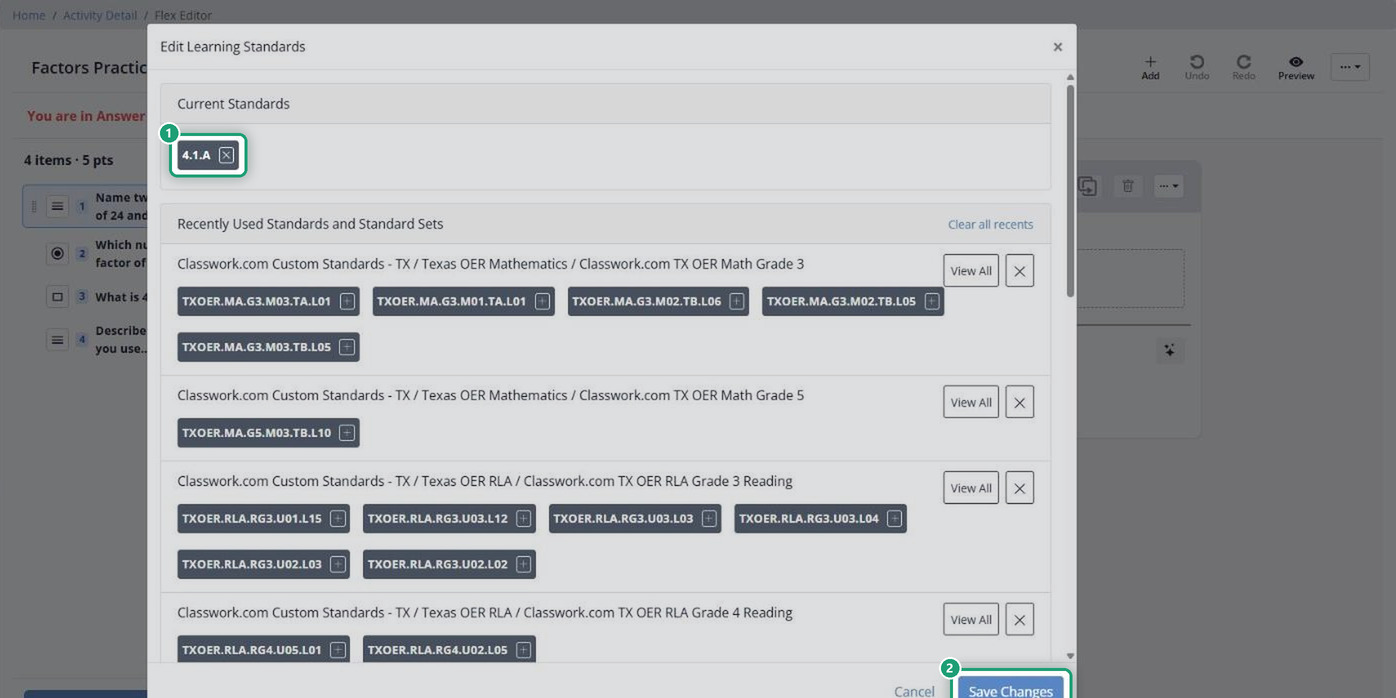
- Click Edit next to Learning Standards.
- Click Search Standards.
- Select your Course, Grade Level and Standard. Standards you used recently are listed for a quick pick.
- Click Save Changes.
Outside the U.S.? We recommend the Common Core State Standards. To ask for your region’s standards, email support@classwork.com.
Pick question types and generate
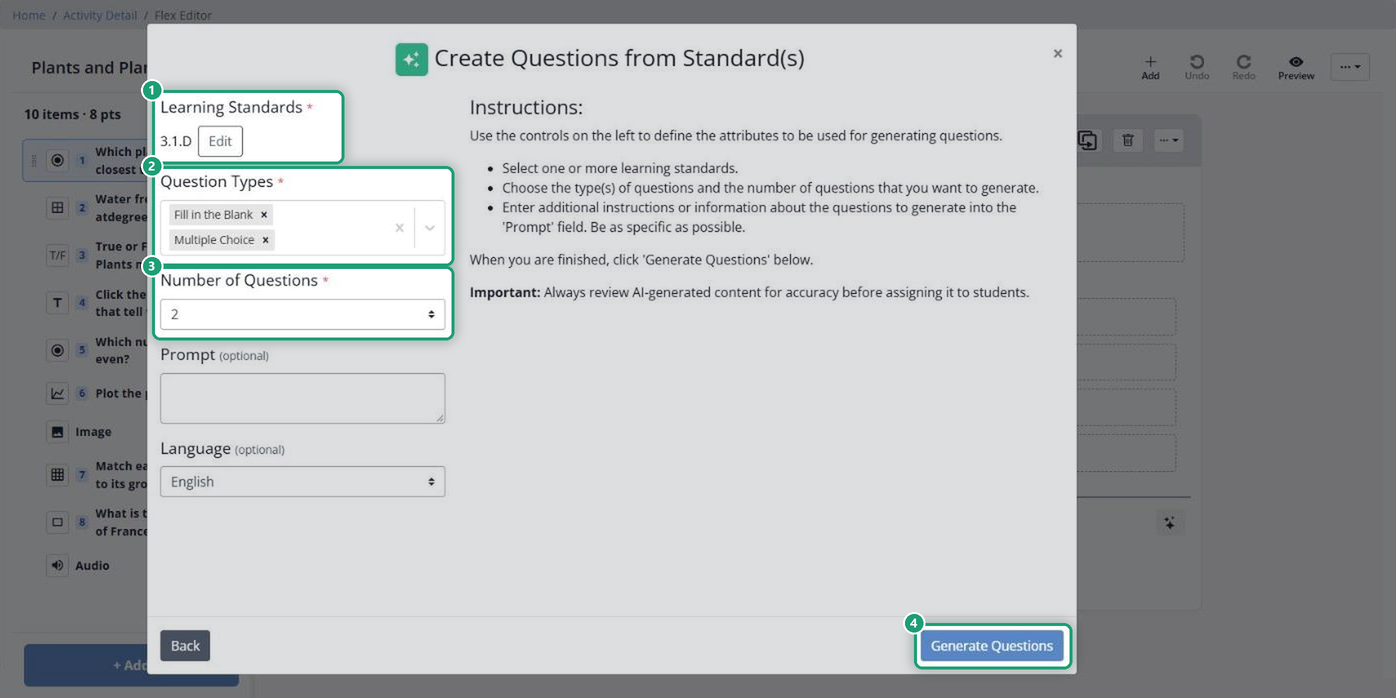
- Under Question Types, choose one or more types, such as Multiple Choice, Multiple Select / Checkboxes, Math Answer, Open Answer or True / False.
- Set the Number of Questions. Four makes a quick warm-up.
- Click Generate Questions.
Review and add them
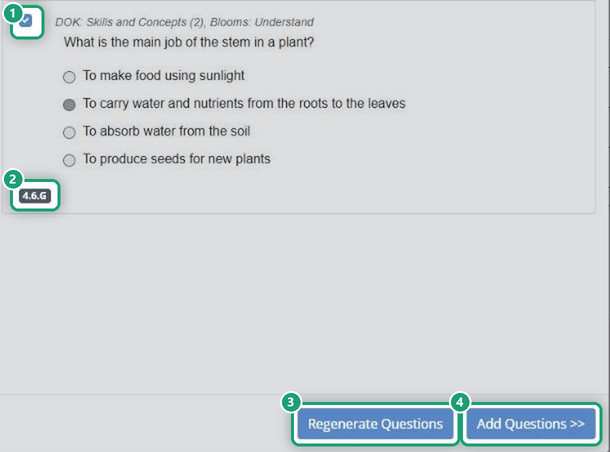
The questions appear for you to read and edit. Uncheck any you don’t want.
- Regenerate Questions writes a new set. Use it after you change the standard or the settings.
- Add Questions puts the checked questions in your Activity.
Always check AI-made questions before you assign them. Make sure each one matches the standard and has the right answer marked.
Related articles
Are you new to Classwork.com? Welcome!
Click here to start your 30 day risk-free PRO trial today.
Was this article helpful?
That’s Great!
Thank you for your feedback
Sorry! We couldn't be helpful
Thank you for your feedback
Feedback sent
We appreciate your effort and will try to fix the article