|
|
Drag and Drop a File here |
Drag and Drop a File to Import It
Applies to: Slide Editor
The quickest way to turn a file into an Activity: drag it from your computer straight into Classwork.com. It works with PDF, Word, images and more; PDF gives the best results.
Open Import Document
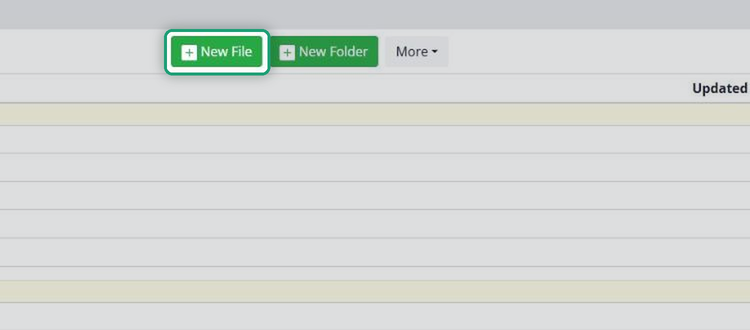
- On your Activities page, click + New File.
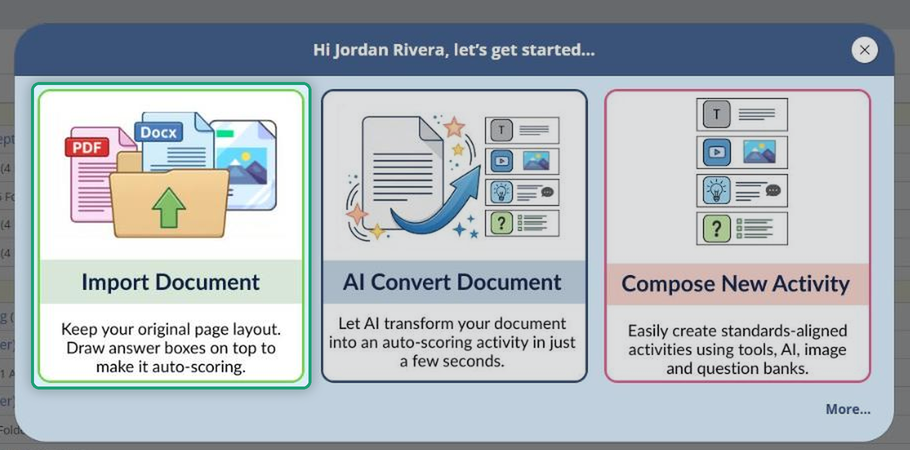
- Click Import Document.
Drag your file in
- Open the folder on your computer that holds the file.
- Click and hold the file, drag it onto the dashed Drag & drop your file here area, and let go.
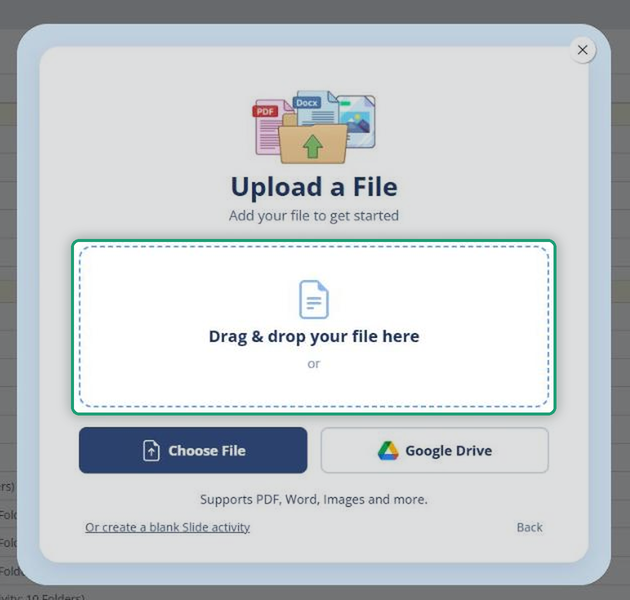
The file starts uploading right away.
Choose your pages
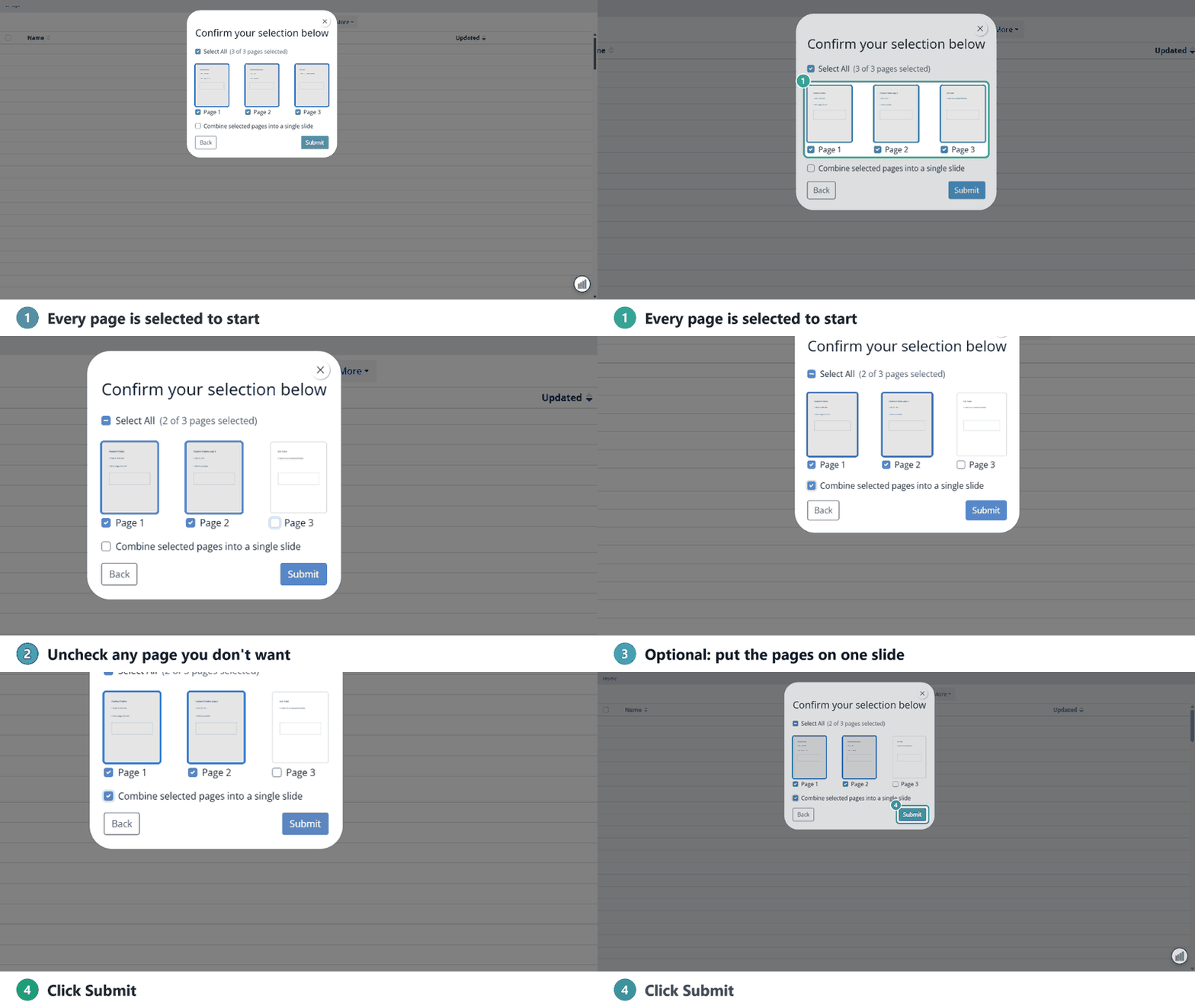
When the file finishes processing, the Confirm your selection below window shows every page, all checked to start.
- Uncheck any page you don’t want, or use Select All.
- To put the selected pages on one long slide, check Combine selected pages into a single slide. Otherwise each page becomes its own slide.
- Click Submit.
Your Activity opens in the Slide Editor, ready for answer boxes. See Adding Interactions (Slide Editor).
Related articles
Are you new to Classwork.com? Welcome!
Click here to start your 30 day risk-free PRO trial today.
Was this article helpful?
That’s Great!
Thank you for your feedback
Sorry! We couldn't be helpful
Thank you for your feedback
Feedback sent
We appreciate your effort and will try to fix the article