|
|
Import from Google Drive |
Import from Google Drive
Bring a file straight from Google Drive into Classwork.com, with no need to download it first. Google Docs, Google Slides, PDFs, Word files and images all work.
Open Import Document
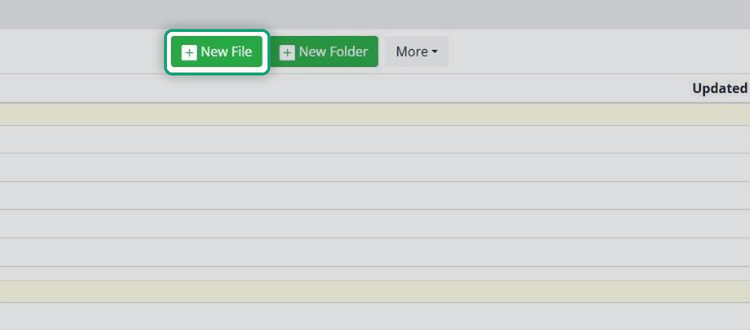
- On your Activities page, click + New File.
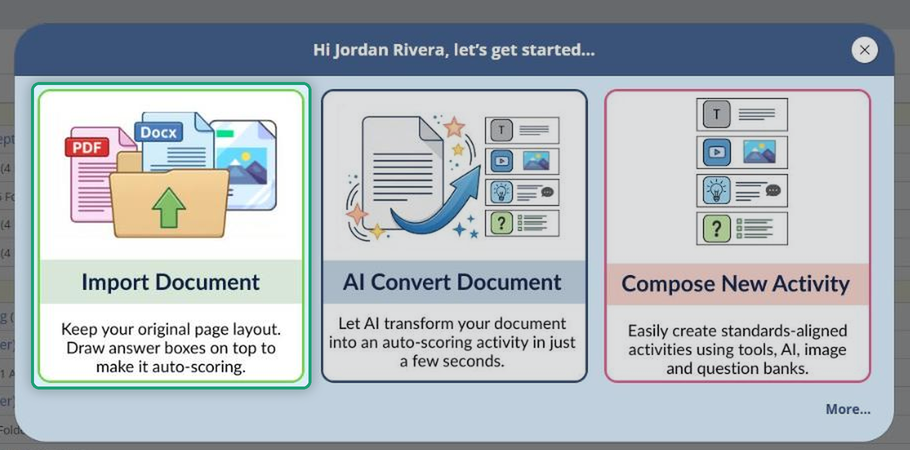
- Click Import Document.
Pick a file from Drive
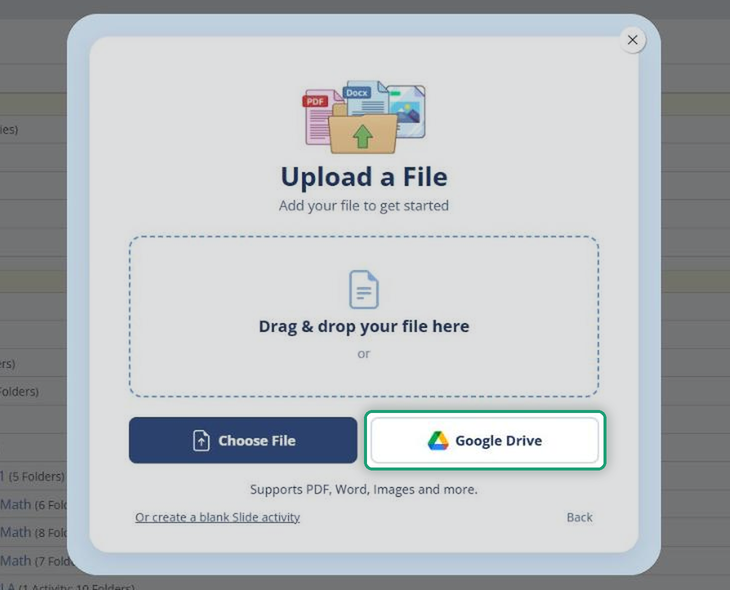
- Click Google Drive.
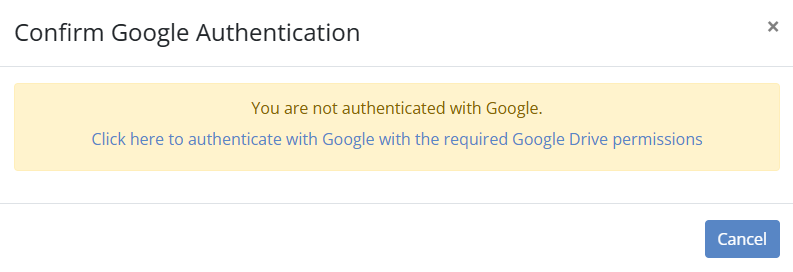
- If Classwork.com isn’t connected to your Drive yet, click the link to authenticate with Google, sign in, and allow access.
- Find the file in your Drive and select it.
Choose your pages
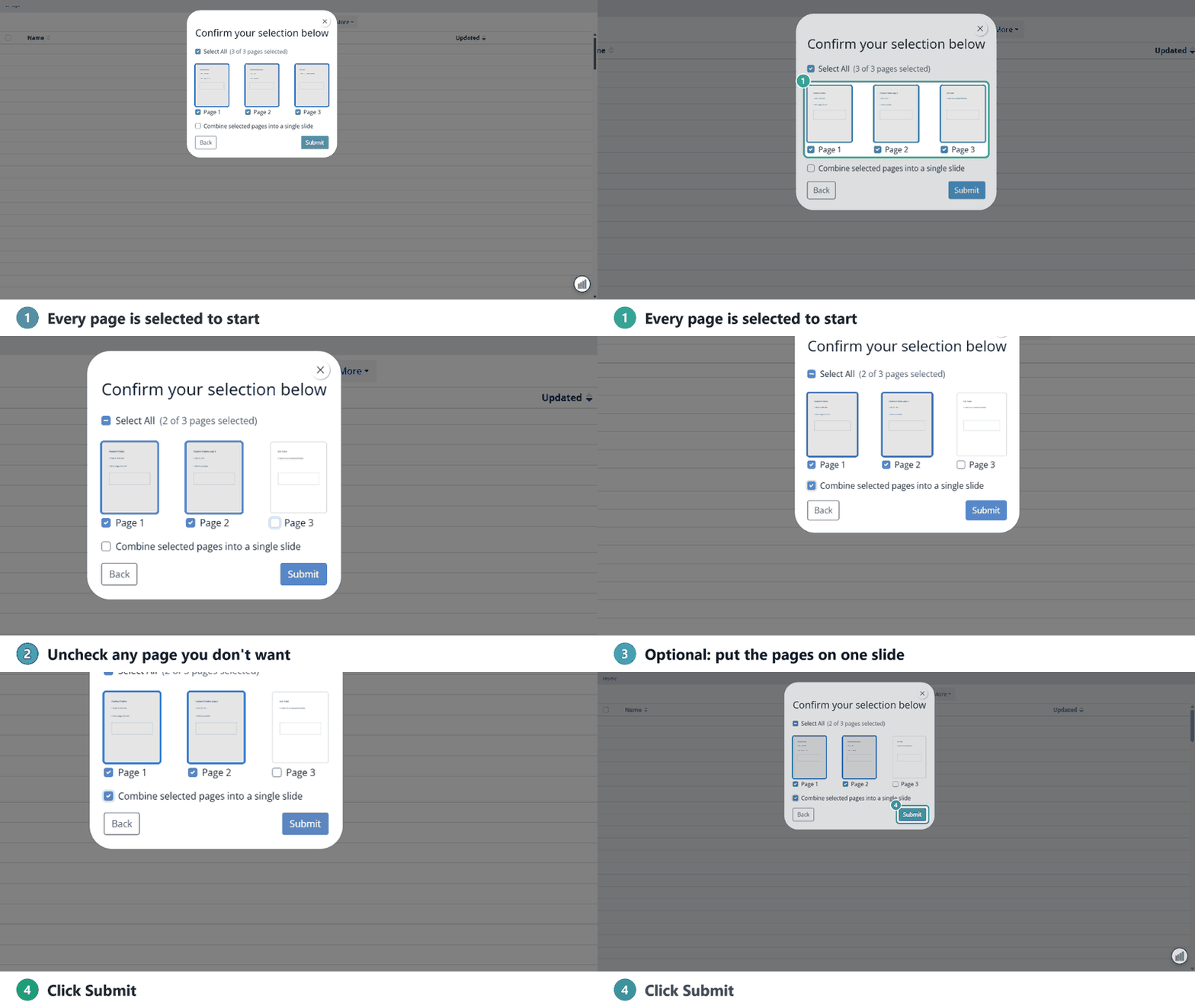
When the file finishes processing, the Confirm your selection below window shows every page, all checked to start.
- Uncheck any page you don’t want, or use Select All.
- To put the selected pages on one long slide, check Combine selected pages into a single slide. Otherwise each page becomes its own slide.
- Click Submit.
Your Activity opens in the Slide Editor, ready for answer boxes. See Adding Interactions (Slide Editor).
Want a Flex activity instead?
On a school or district license, + New File → AI Convert Document → Continue with AI Convert → Pick from Drive turns a Drive file into an auto-scoring Flex activity. See Uploading Directly From Google Drive.
Was this article helpful?
That’s Great!
Thank you for your feedback
Sorry! We couldn't be helpful
Thank you for your feedback
Feedback sent
We appreciate your effort and will try to fix the article