|
|
New File Button |
New File Button
Applies to: Slide Editor & Flex Editor
The + New File button is your starting point for building a new activity. You will find it on your Activities page, in the middle margin of your Digital File Cabinet.

Clicking it opens a pop-up with three ways to create an activity:
- Import Document: keep your document’s original layout and draw answer boxes on top (opens the Slide Editor).
- AI Convert Document: let AI turn a document into an auto-scoring activity in seconds (opens the Flex Editor; available on School and District licenses).
- Compose New Activity: build from scratch using tools, AI, and item banks (opens the Flex Editor).
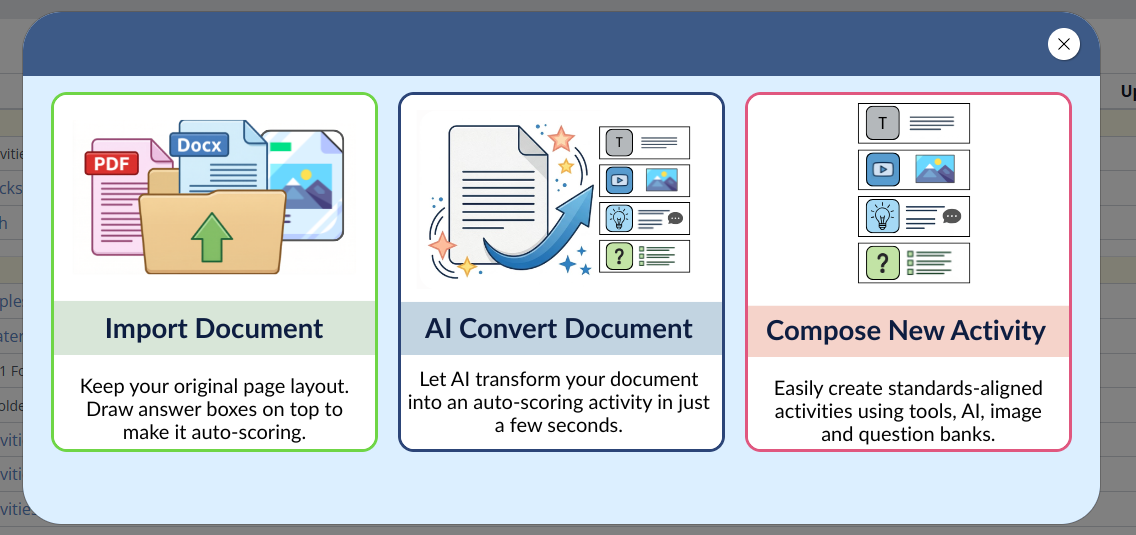
After you choose an option, you head into the editor (the Slide Editor or the Flex Editor, depending on your choice) to begin building.
Learn More About Each Option
- Import Document
- AI Convert Document (new, see the Flex Editor Overview)
- Compose New Activity
New to the two editors? See Slide Editor vs. Flex Editor.
Are you new to Classwork.com? Welcome!
Click here to start your 30 day risk-free PRO trial today.
Was this article helpful?
That’s Great!
Thank you for your feedback
Sorry! We couldn't be helpful
Thank you for your feedback
Feedback sent
We appreciate your effort and will try to fix the article