|
|
New File Button |
New File Button
Applies to: Flex Editor & Slide Editor
Every new Activity starts with the green + New File button. It’s at the top of your Activities page, next to New Folder and More.
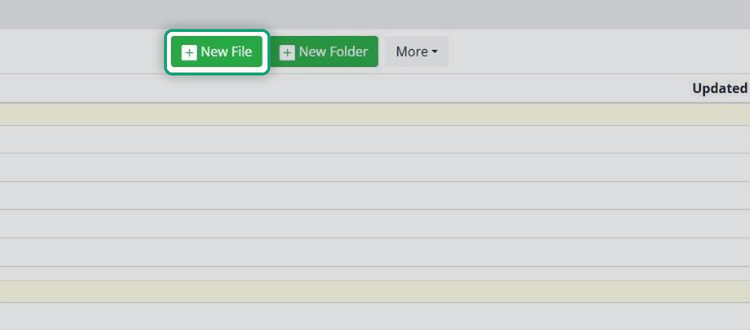
Three ways to start
Click + New File and pick how you want to build:
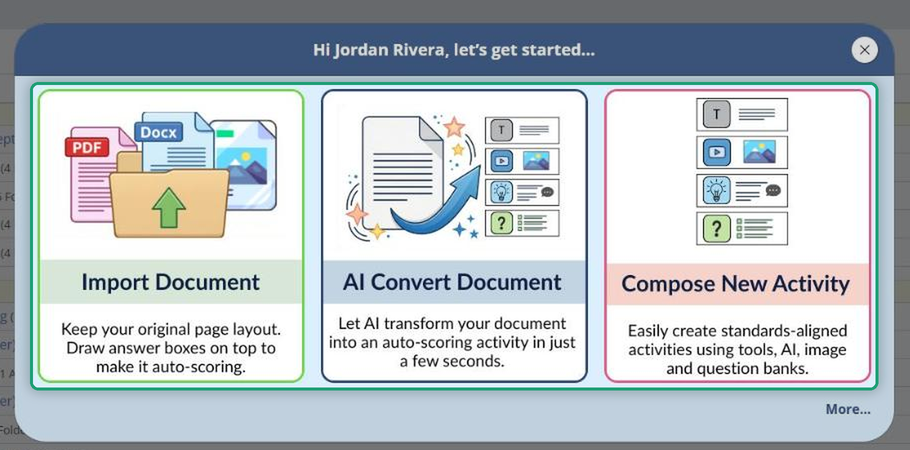
- Import Document: keep your document’s original layout and draw answer boxes on top. Opens the Slide Editor. See Import Document.
- AI Convert Document: AI turns your document into an auto-scoring Activity in a few seconds. Opens the Flex Editor. School and District licenses only, so you won’t see this card on a Free Trial or Pro Individual plan. See Creating an Activity.
- Compose New Activity: start from scratch with question types, AI and item banks. Opens a blank Activity in the Flex Editor. See Compose New Activity.
Not sure which editor fits? See Slide Editor vs. Flex Editor.
Are you new to Classwork.com? Welcome!
Click here to start your 30 day risk-free PRO trial today.
Was this article helpful?
That’s Great!
Thank you for your feedback
Sorry! We couldn't be helpful
Thank you for your feedback
Feedback sent
We appreciate your effort and will try to fix the article