|
|
Administration - Ed-Fi Setup |
Ed-Fi Setup
For User Administrators.
Ed-Fi Setup connects Classwork.com to your district’s Ed-Fi API. Texas districts use it to send classroom observation data to TEA’s Instructional Insights App (IIA), which is common for districts in the LIFT grant. Not every district needs it.
Connect
- Go to Administration > Ed-Fi Setup.
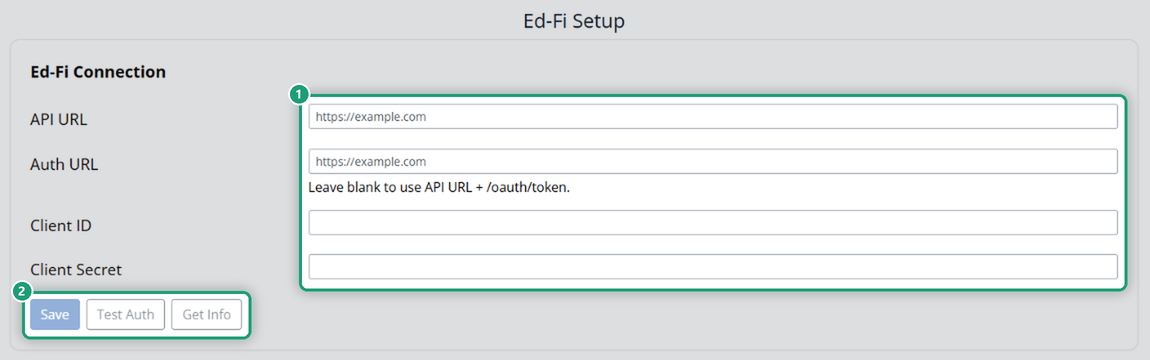
- Enter the API URL, Auth URL, Client ID and Client Secret. Your Classwork.com Onboarding Team will help you gather them. You can leave Auth URL blank to use your API URL followed by /oauth/token.
- Click Save.
- Click Test Auth to check that the details work.
When you need it
Set this up if your observation data needs to reach TEA’s Instructional Insights App. Observations are logged in Coaching; see Coaching: Log a Classroom Observation.
Are you new to Classwork.com? Welcome!
Click here to start your 30 day risk-free PRO trial today.
Was this article helpful?
That’s Great!
Thank you for your feedback
Sorry! We couldn't be helpful
Thank you for your feedback
Feedback sent
We appreciate your effort and will try to fix the article