|
|
Can Read Aloud Be Set to Only Read Questions and Answer Choices? |
Can Read Aloud Be Set to Only Read Questions and Answer Choices?
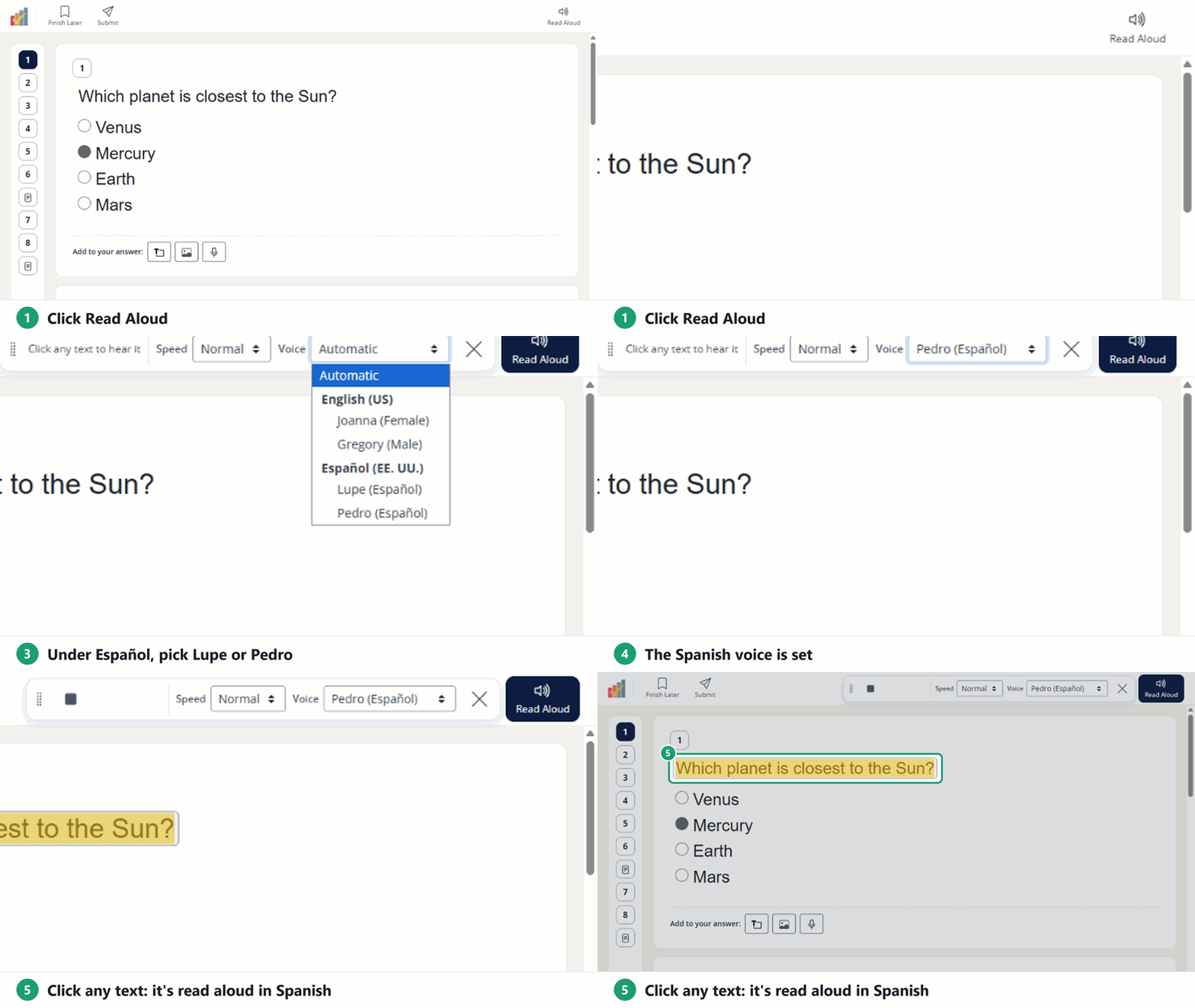
Not right now. There’s no setting that limits Read Aloud to just the questions and answer choices. Students choose what they hear: in a Flex activity they click any text, and in a Slide activity they select an area of the page.
What you can control
You decide whether students have Read Aloud at all for each Assignment. Under Student tools on the last step of making an Assignment (or in Edit Assignment), check or uncheck Read Aloud.

For how students use it, see How Do I Use the Read Aloud (Text-to-Speech) Tool?.
Would limiting Read Aloud to questions and answers help your class? Tell us at support@classwork.com.
Was this article helpful?
That’s Great!
Thank you for your feedback
Sorry! We couldn't be helpful
Thank you for your feedback
Feedback sent
We appreciate your effort and will try to fix the article