|
|
Can I Change Assignment Options After Students Start Working? |
Can I Change Assignment Options After Students Start Working?
Applies to: Flex Editor & Slide Editor
Yes. You can change almost every setting at any time, even after students have started. Changes apply right away. The only things you can’t change are how the Assignment is delivered (Classwork.com, Google Classroom, Canvas or Schoology) and how students sign in.
You can change, for example:
- Open, close and due dates, and the time limit
- Student tools
- Whether students can check answers, and the minimum score to submit
- How scores show, and what students see after they submit or when work is returned
- Academic Integrity settings
- The name list and custom prompt for Name or ID sign-in
Open Edit Assignment
- From the Activity’s page: click the three-dot menu on the Assignment’s row and choose Edit Assignment.
- From the Assignment’s page: click the three-dot menu at the top of the Assignment panel and choose Edit Assignment.
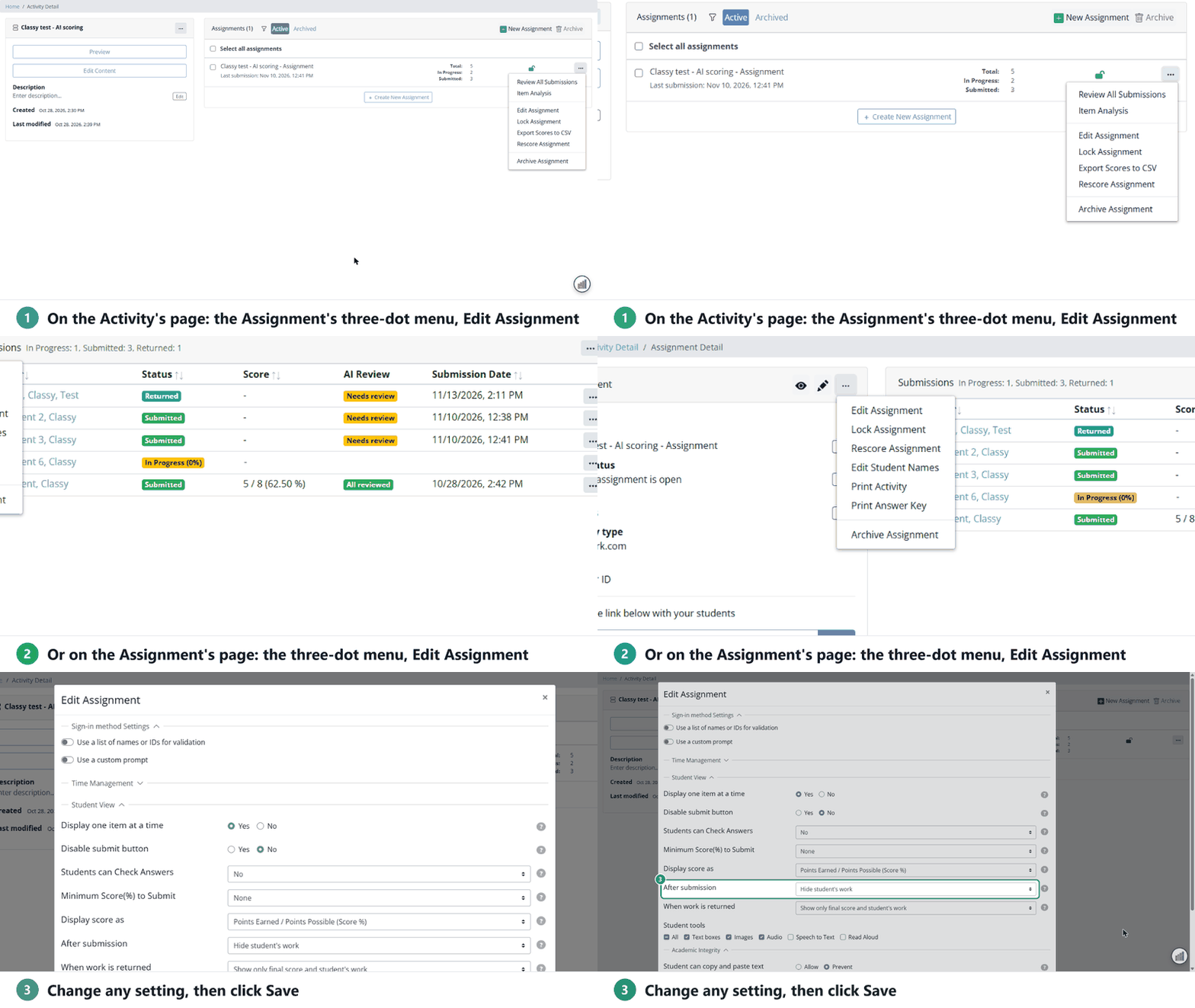
Make your changes and click Save.
Need a different delivery method? Make a new Assignment from the same Activity. See How to Make Assignments for Your Students.
Are you new to Classwork.com? Welcome!
Click here to start your 30 day risk-free PRO trial today.
Was this article helpful?
That’s Great!
Thank you for your feedback
Sorry! We couldn't be helpful
Thank you for your feedback
Feedback sent
We appreciate your effort and will try to fix the article