|
|
Can I Delete Multiple Submissions At Once? |
Can I Delete Multiple Submissions at Once?
Applies to: Flex Editor & Slide Editor
Yes. You can delete as many submissions as you like in one step from the Assignment’s page. Deleting is permanent: the student’s work and score are gone and can’t be recovered.
Delete several submissions
- Open the Assignment.
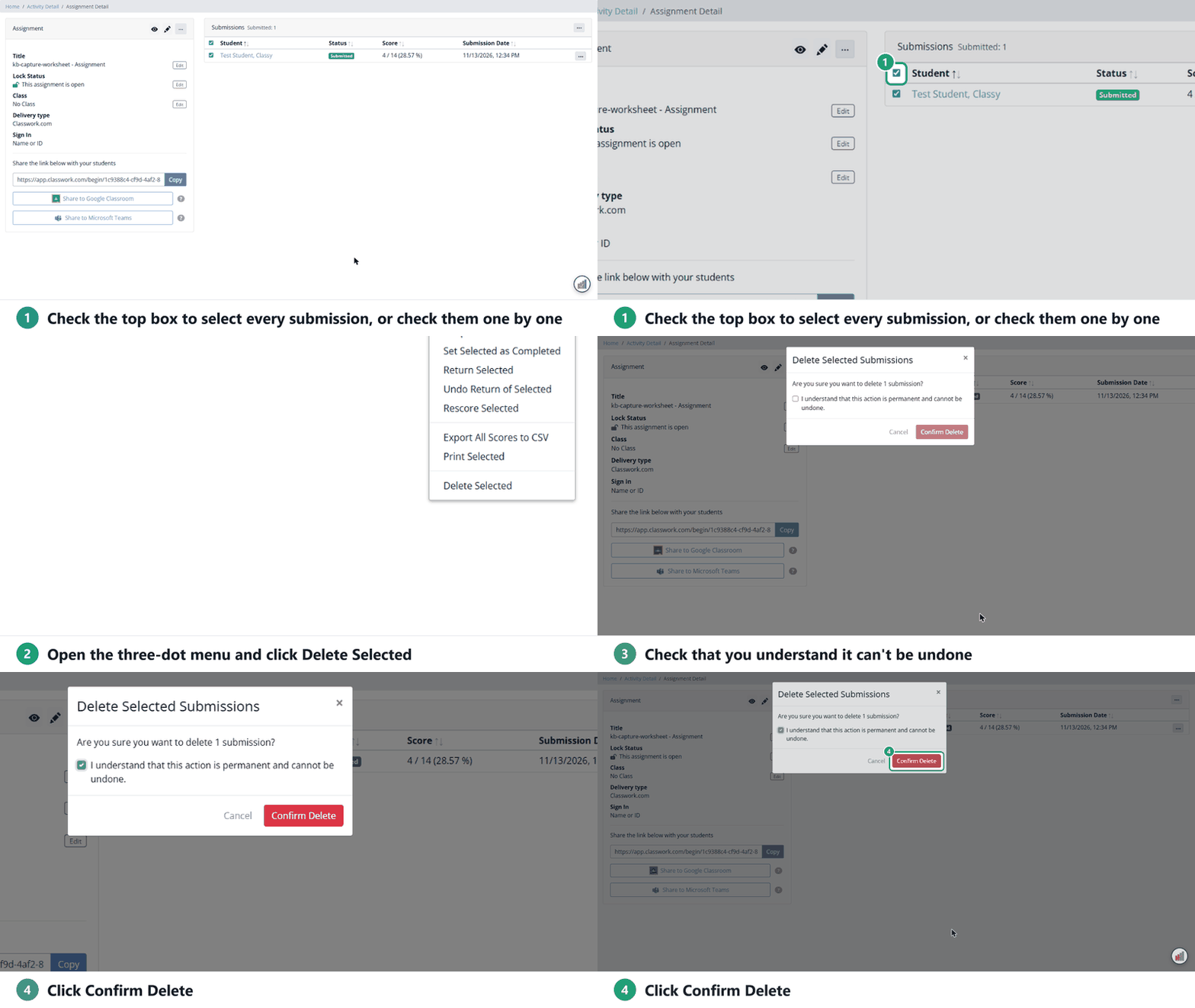
- Check the box next to each submission you want to delete, or check the box at the top of the list to select them all.
- Click the three-dot menu above the list and choose Delete Selected.
- Check I understand that this action is permanent and cannot be undone.
- Click Confirm Delete. (It stays greyed out until you check the box.)
To delete just one, click the three-dot menu at the end of that student’s row and choose Delete Submission.
Before you delete
- Want the student to try again? Reopen/Reset keeps the submission and lets them keep working or start over. See Can Students Make Corrections to Their Work After They’ve Submitted or Redo an Assignment?
- Done with the whole Assignment? Archive it instead. Archived Assignments are hidden, not deleted, and you can restore them.
Are you new to Classwork.com? Welcome!
Click here to start your 30 day risk-free PRO trial today.
Was this article helpful?
That’s Great!
Thank you for your feedback
Sorry! We couldn't be helpful
Thank you for your feedback
Feedback sent
We appreciate your effort and will try to fix the article