|
|
Can Students Make Corrections to Their Work After They’ve Submitted or Redo an Assignment? |
Once students submit, they can’t change their work, even if you return it. To let them fix it or try again, Reopen or Reset their submission:
- Reopen keeps their answers so they can pick up where they left off.
- Reset clears their answers so they start over.
Either way, your comments and markup stay. To give students feedback before they submit, turn on Students can Check Answers (below).
Reopen or reset a student’s work
- Open the assignment (from your Classes page, click the assignment’s name).
- In the Submissions list, check each student. The box at the top selects everyone.
- Click the three-dot menu at the top right of the list and choose Reopen/Reset Selected.
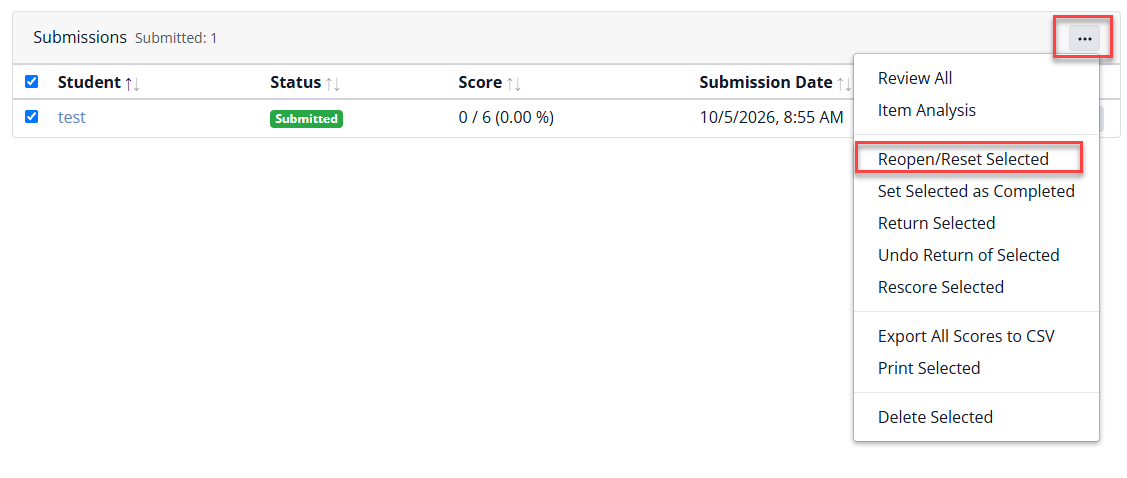
- Choose Reopen or Reset and click Ok. With Reopen, you can also check Show missing and incorrect answers so students see what to fix.

Let students check answers before they submit
On the last step of creating an assignment, set Students can Check Answers:

| No | Students can’t check; they just submit. |
| 1x, 2x, 3x | Students can check 1, 2 or 3 times. |
| Unlimited | Students can check as often as they like. Great for practice. |
| Custom | You choose the number. |
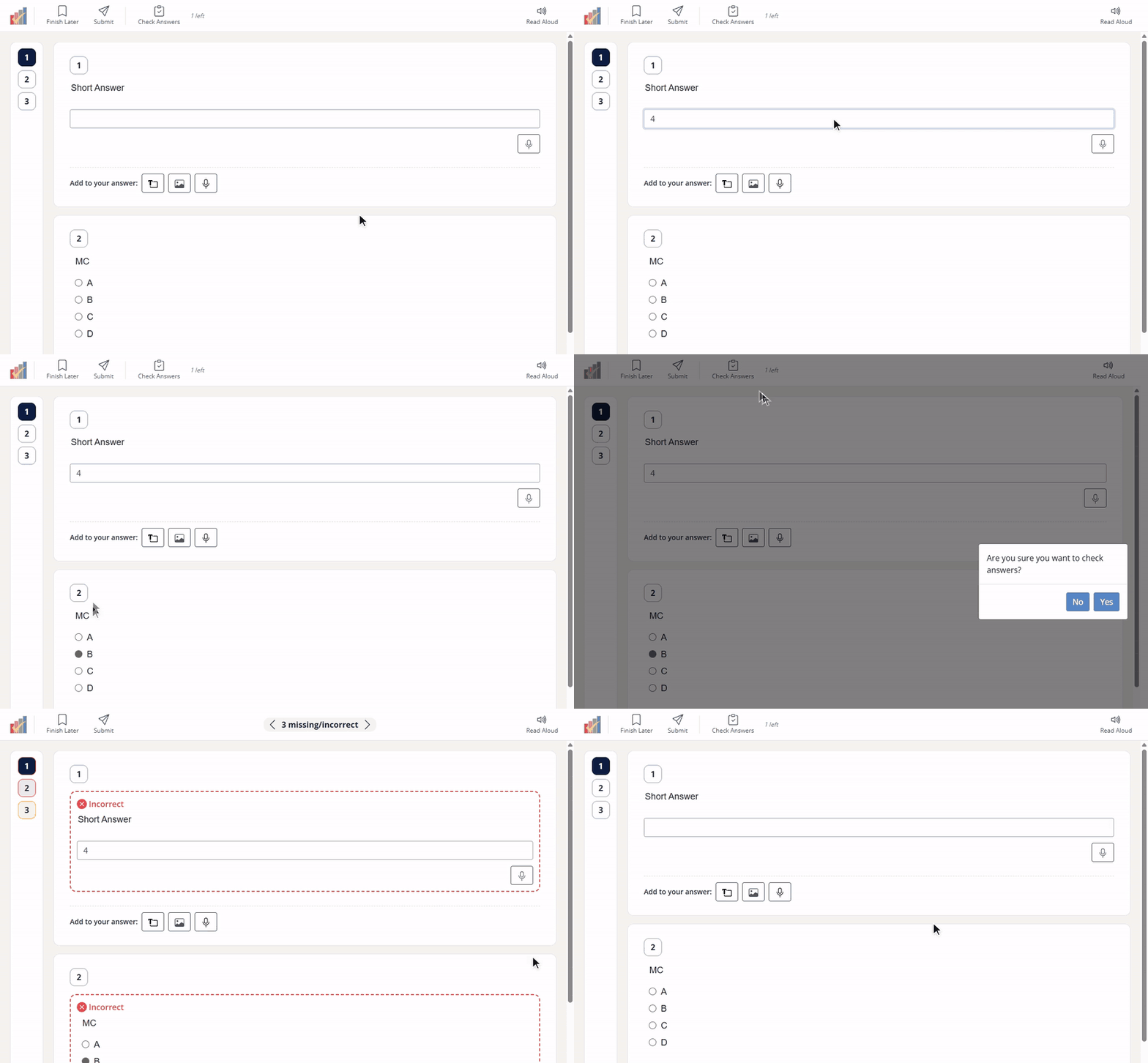
Students then see a check button: Check Answers in a Flex activity, Check My Answers in a Slide activity. Missing and incorrect answers are marked, and a counter with arrows (for example, “3 missing/incorrect”) takes them from one to the next. When a student fixes a question, its mark clears until they check again.
Was this article helpful?
That’s Great!
Thank you for your feedback
Sorry! We couldn't be helpful
Thank you for your feedback
Feedback sent
We appreciate your effort and will try to fix the article