|
|
How Does Classwork.com Number Questions For Item Analysis? |
How Does Classwork.com Number Questions for Item Analysis?
Applies to: Flex Editor & Slide Editor
Item Analysis and the Standards view number questions by where they are in the Activity, not by the numbers printed on your page.
- Slide activities: page by page. On each page, questions are numbered from the top down, and left to right when two are side by side. The numbers printed on an uploaded worksheet aren’t read, so they may not match.
- Flex activities: the same order as the numbered list of items in the editor.
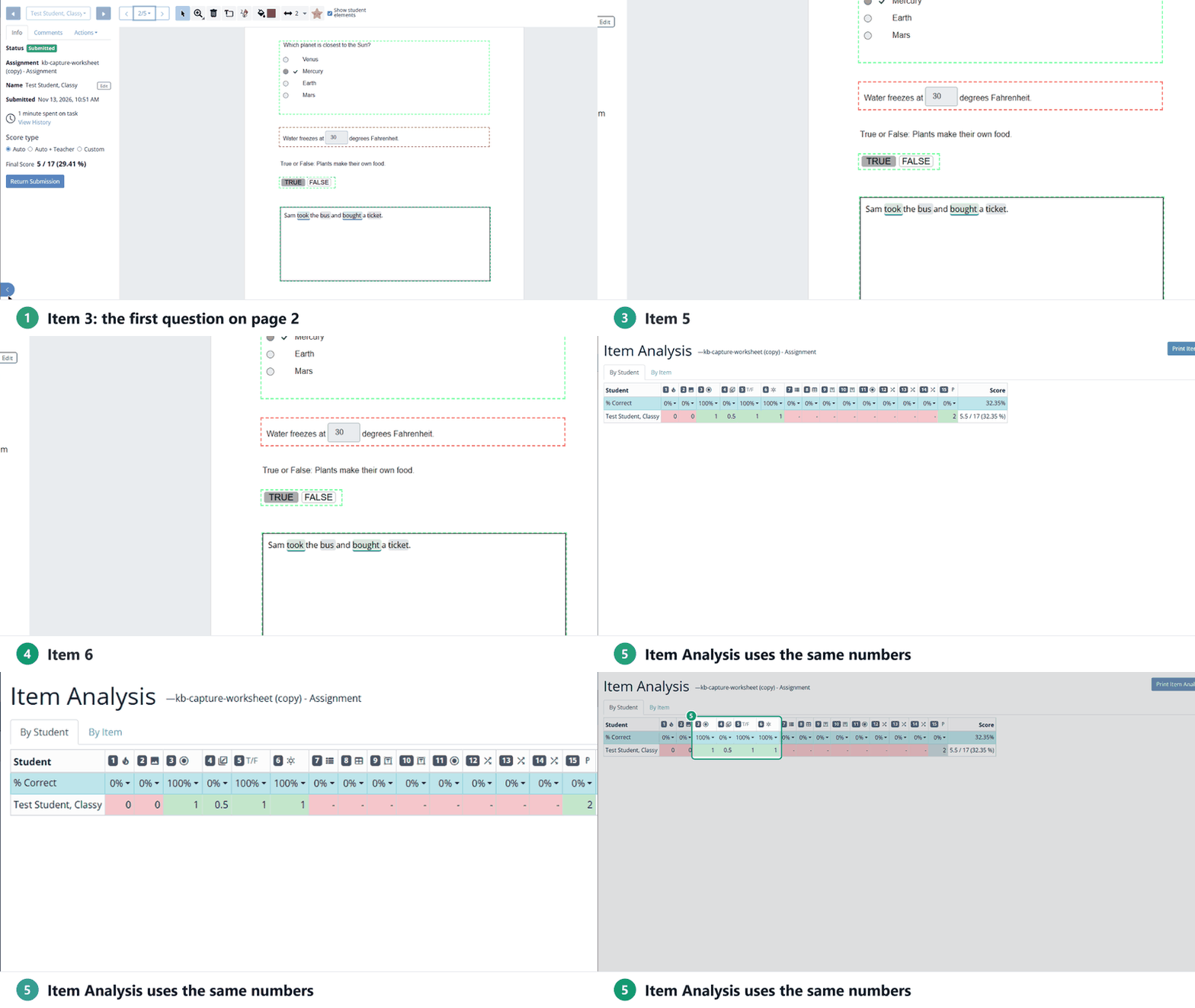
Each column in Item Analysis shows the item’s number and an icon for its question type, which helps you match a column to a question.
See How Do I See Which Questions My Students Need Help With? and State Standards Reporting.
Are you new to Classwork.com? Welcome!
Click here to start your 30 day risk-free PRO trial today.
Was this article helpful?
That’s Great!
Thank you for your feedback
Sorry! We couldn't be helpful
Thank you for your feedback
Feedback sent
We appreciate your effort and will try to fix the article