|
|
Undo and Redo in the Editor |
Undo and Redo in the Editor
Applies to: Flex Editor & Slide Editor
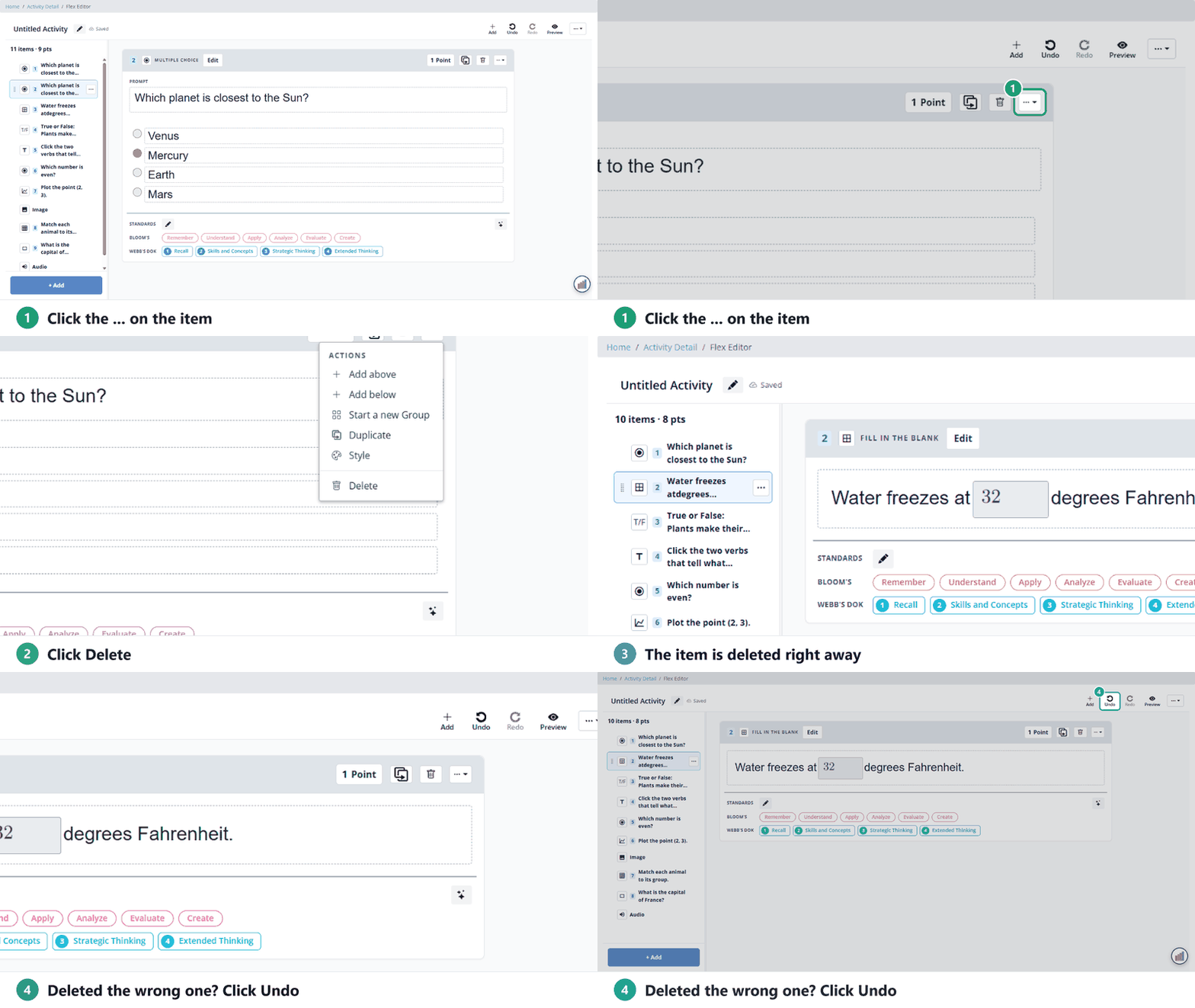
Deleted or changed something by mistake? Click Undo. Undid too much? Click Redo. Both are on the toolbar in each editor.
Flex Editor
Undo and Redo are at the top right of the Flex Editor, between + Add and Preview.
Slide Editor
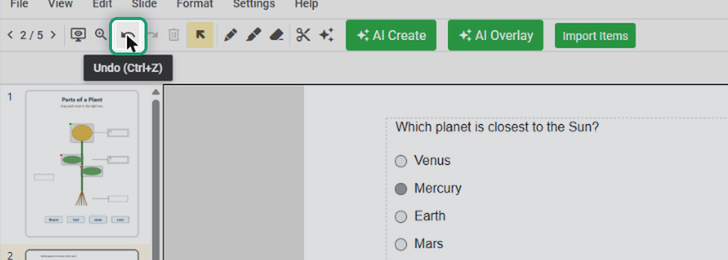
- Toolbar: the Undo and Redo arrows are in the row of buttons under the menus.
- Keyboard: Ctrl+Z to undo, Ctrl+Y to redo.
- Edit menu: Undo, Redo and Undo All Changes.
Related articles
Are you new to Classwork.com? Welcome!
Click here to start your 30 day risk-free PRO trial today.
Was this article helpful?
That’s Great!
Thank you for your feedback
Sorry! We couldn't be helpful
Thank you for your feedback
Feedback sent
We appreciate your effort and will try to fix the article