|
|
See Why Students Missed a Question: the By Misconception View |
See Why Students Missed a Question: the By Misconception View
The By Misconception view is available for Texas OER RLA Readiness Checks.
Every wrong answer choice on an RLA Readiness Check is written to point to a likely misunderstanding, such as mixing up text evidence or misreading a text feature. The By Misconception view of the Activity Report groups your students by those misunderstandings, so you can see not just who missed a question, but why, and plan a quick reteach for each group.
Open the By Misconception View
- On the Classes page, open the class and click Reports.
- Click Activity Report.
- Choose the Activity Type, then the RLA Readiness Check in Select Assignment.
- Click By Misconception.
Read the Report
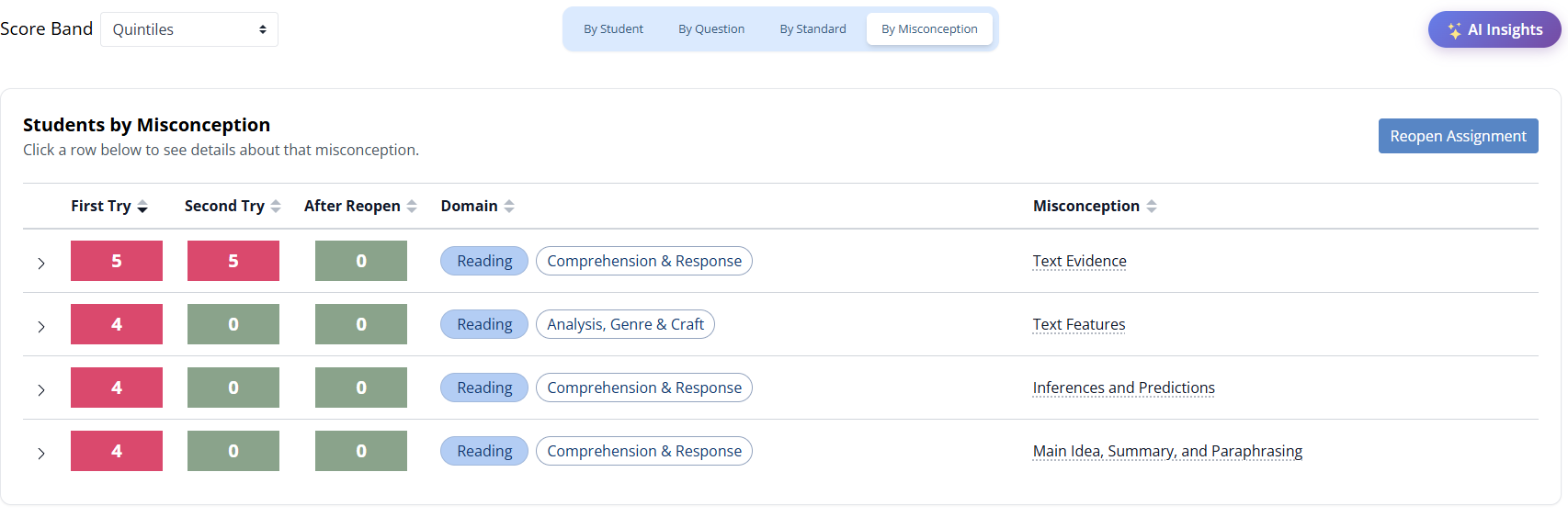
Each row is one misconception. The colored boxes show how many students showed it:
- First Try: on the student’s first submission.
- Second Try: still there after the student revised their answers.
- After Reopen: still there after you reopened the assignment for more practice.
A number that drops from First Try to Second Try means students fixed that misunderstanding on their own after coaching. A number that stays high tells you where to step in.
The Domain shows the skill area, and the Misconception names the likely misunderstanding. Hover over a misconception to see what it means.
See Which Students and Questions
Click a row to open it. You’ll see each student who showed that misconception and the question where it happened, with the question’s TEKS, Bloom’s level and DOK level.
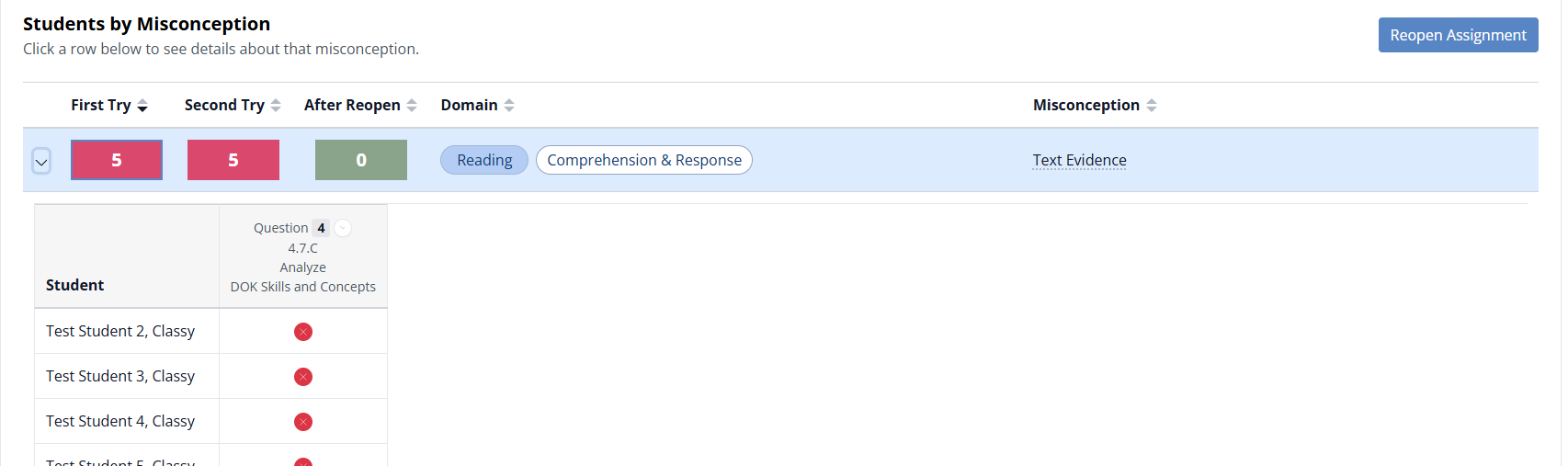
Use these groups to pull students for a small-group reteach. When they’re ready to try again, click Reopen Assignment.
What Students See: a Second Try
When Use Readiness Check Features is on in the assignment settings (it’s on by default), students get one coached second try:
- After they click Submit, correct answers say Nice work! with a short reason.
- Incorrect answers say Change your answer. with a Think again hint (for example, which pages to reread) and a Try this tip.
- Students must change every incorrect answer before they can submit again.
Their first and second tries both show up in the report, so you can see what students fixed with coaching and what still needs your help.
Related Articles
Was this article helpful?
That’s Great!
Thank you for your feedback
Sorry! We couldn't be helpful
Thank you for your feedback
Feedback sent
We appreciate your effort and will try to fix the article