|
|
Activity Report for Admins |
Activity Report for Admins
The Activity Report for Admins lets School Admins review any assignment given by a teacher on their campus. Pick a teacher and one of their assignments, then see the results by student, by question and by standard, the same way the teacher does.
This report covers your campus. Teachers run the Activity Report for their own assignments.
The Activity Report for Admins is available to School Admins for now, under School Reports. District Reports doesn’t include it.
Open the Report
- Click Administration in the left menu.
- Click School Reports.
- Click Activity Report.
You need the School Admin role. If you don’t see School Reports, ask your User Administrator to check your role.
Choose the Assignment
Fill in Report Options from left to right:
- Teacher: Pick the teacher whose work you want to review. Every teacher on your campus is listed.
- Activity Type: Pick the kinds of work to include, or click Select all. The assignment list stays grey until you choose at least one.
- Select Assignment: Pick one of that teacher’s assignments. Each one shows how many submissions it has.
- Date Range: The list shows assignments from the last 30 days. Click the date to pick your school year or a custom range if you don’t see the one you want.
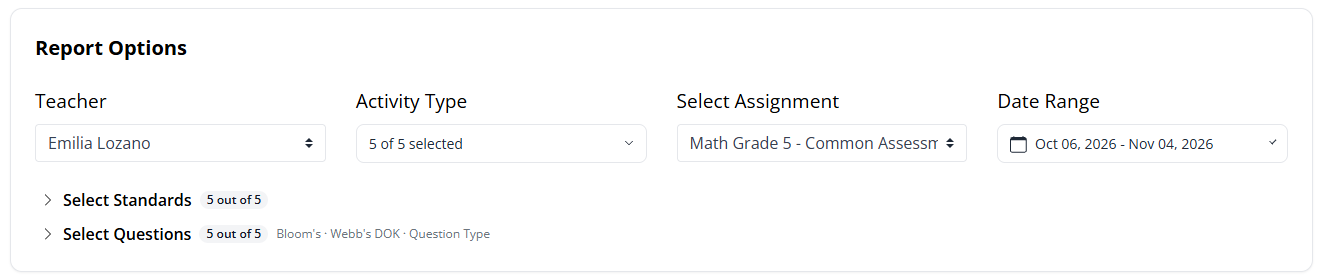
Once you pick an assignment, two more filters appear:
- Select Standards: Show only the standards tagged to questions in the assignment that you choose.
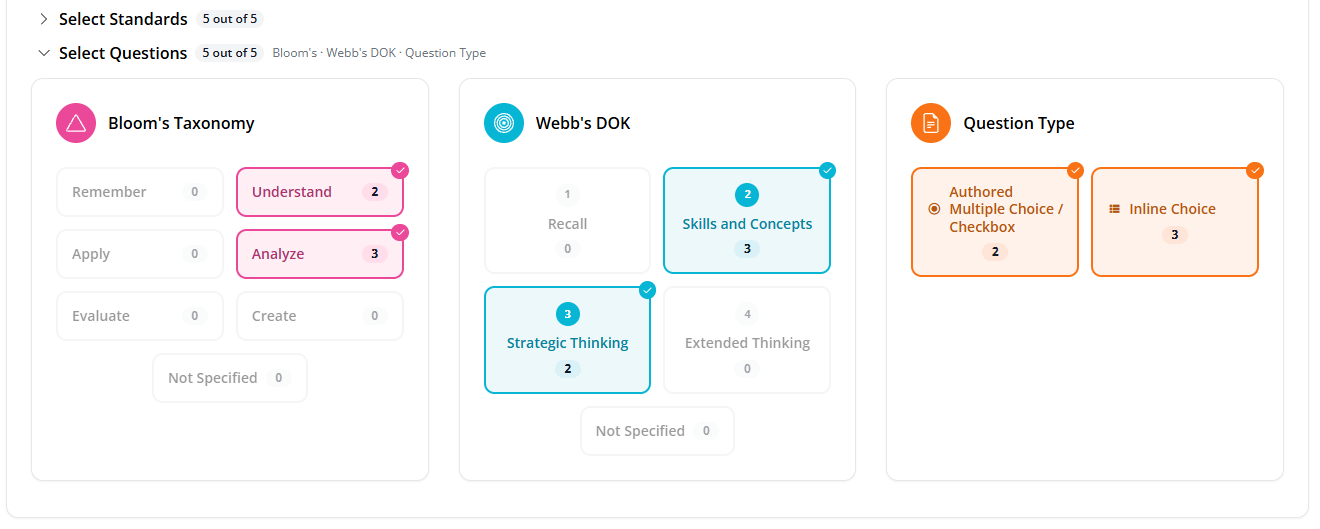
- Select Questions: Filter by Bloom’s Taxonomy, Webb’s DOK and question type.
Review the Results
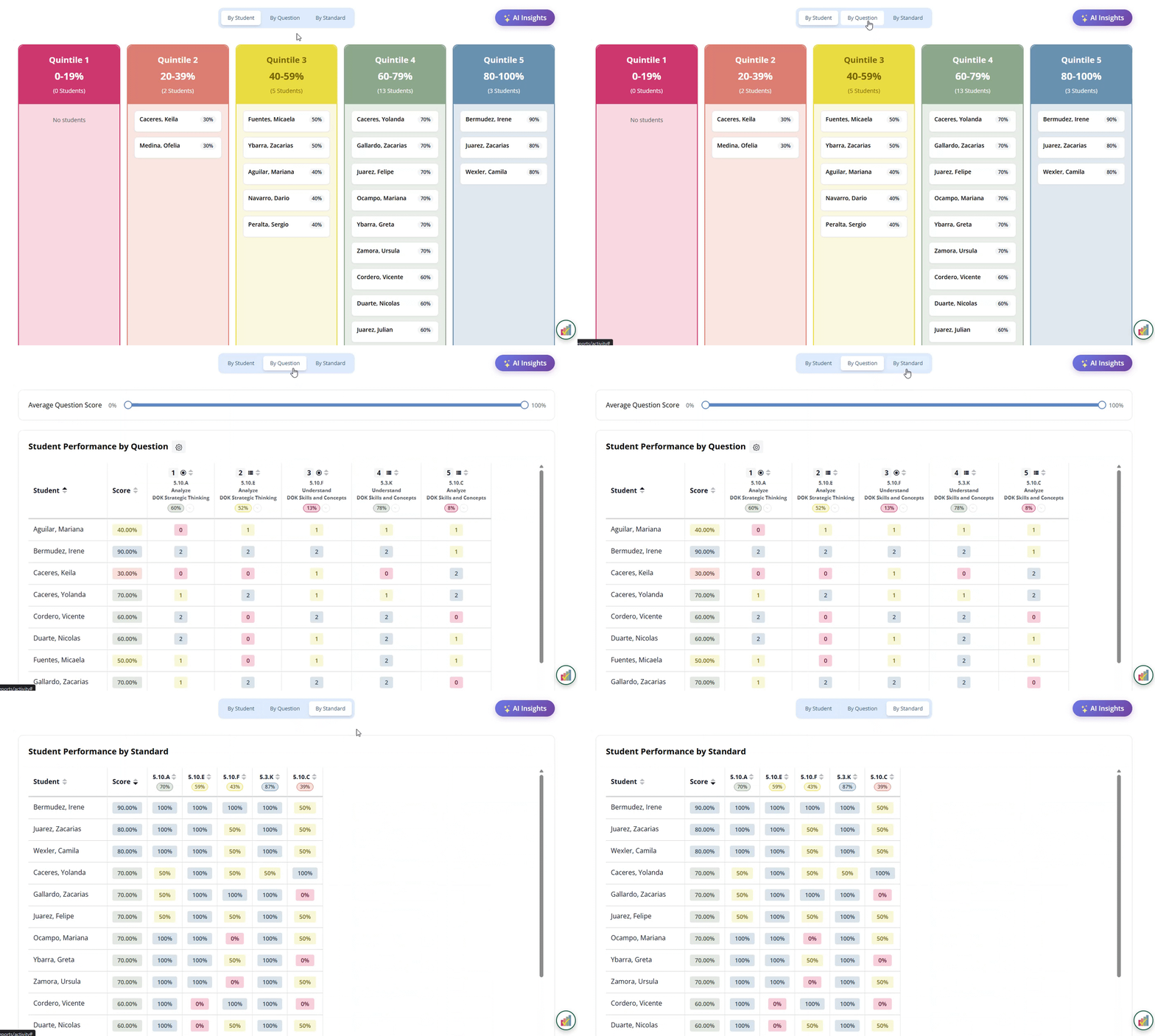
Use the tabs above the report to switch views:
- By Student: Students are grouped into score bands (Quintile 1, 0–19%, through Quintile 5, 80–100%), each with their score.
- By Question: Points earned on every question, so you can see which questions students missed.
- By Standard: How students did on each standard in the assignment.
These views work exactly like the teacher’s report. For sorting, the Average Question Score slider, the discrimination index and the other details, see the Activity Report article.
AI Insights
Click AI Insights above the report for a short list of patterns in this assignment’s results, based on your current options.
Putting It All Together
Pick a teacher, an activity type and an assignment, then use By Student, By Question and By Standard to see how the class did. It’s a quick way to look at a common assessment across your campus, one teacher at a time.
Was this article helpful?
That’s Great!
Thank you for your feedback
Sorry! We couldn't be helpful
Thank you for your feedback
Feedback sent
We appreciate your effort and will try to fix the article