|
|
Can I Send a Text Box to the Back or Change Layer Order? |
Can I Send a Text Box to the Back or Change Layer Order?
Applies to: Slide Editor
No. In the Slide Editor, everything you add (text, a Color Block, a question) sits on top of the slide’s background, and you can’t change which item is in front. So you can’t:
- send an item to the back or bring it to the front,
- put an item behind the imported page or an image, or
- change the stacking order of items.
(In the Flex Editor, items don’t overlap at all: they stack one after another down the page.)
Cover part of the page instead
To replace something printed on the imported page, such as old directions:
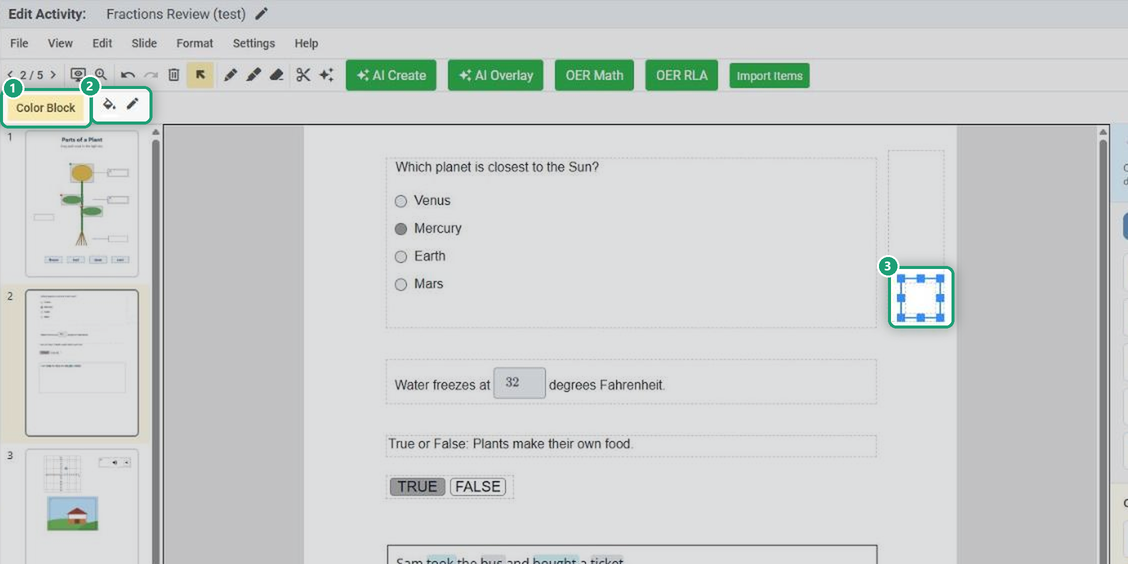
- From the Tool Box’s Content Tools, add a Color Block over it.
- Add a Text item on top of the Color Block and type the new wording.
Can I make an Open Answer box transparent?
No. Open Answer boxes always have a white background, so they cover whatever is under them. To keep the page readable:
- put the Open Answer box in an empty area, beside or below the text, or
- cover the part of the page you don’t need with a Color Block, add new directions with a Text item, and place the Open Answer box below them.
Are you new to Classwork.com? Welcome!
Click here to start your 30 day risk-free PRO trial today.
Was this article helpful?
That’s Great!
Thank you for your feedback
Sorry! We couldn't be helpful
Thank you for your feedback
Feedback sent
We appreciate your effort and will try to fix the article