|
|
How to Sort Folders and Activities on the Activities Page |
Sort Activities on the Activities Page
You can sort items on the Activities page alphabetically or by the last time an activity was updated. Folders and activities behave differently depending on which sorting option you choose.
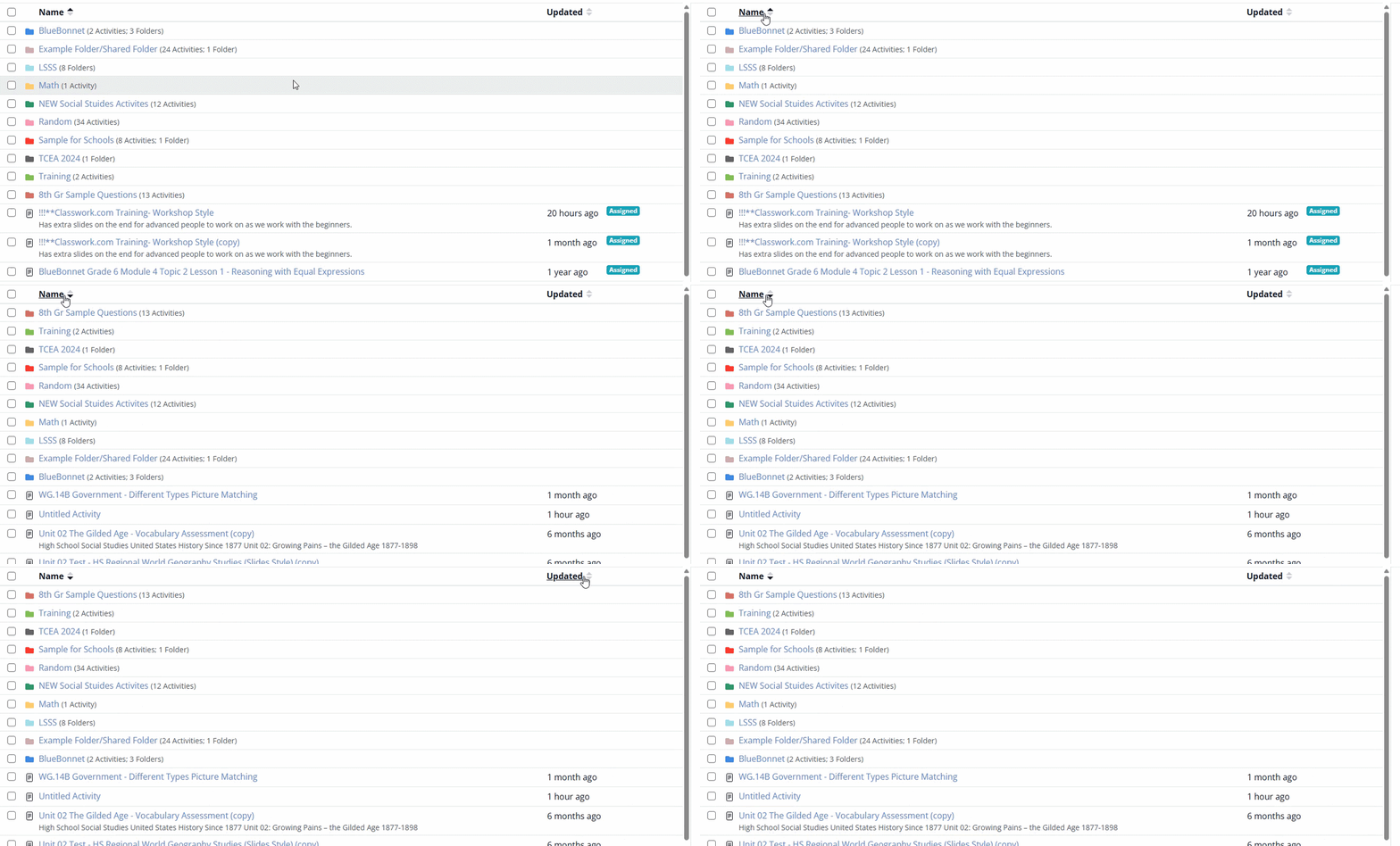
Sorting by Name
When you sort by Name on the Activities page:
- Folders sort alphabetically from A–Z or Z–A.
- Activities not inside folders sort alphabetically from A–Z or Z–A.
- Folders always appear above activities.
- Items inside folders are not affected.
- Manual reordering is not available.
To sort by Name:
- Go to your Activities page.
- Select the Name column header.
Sorting by Updated
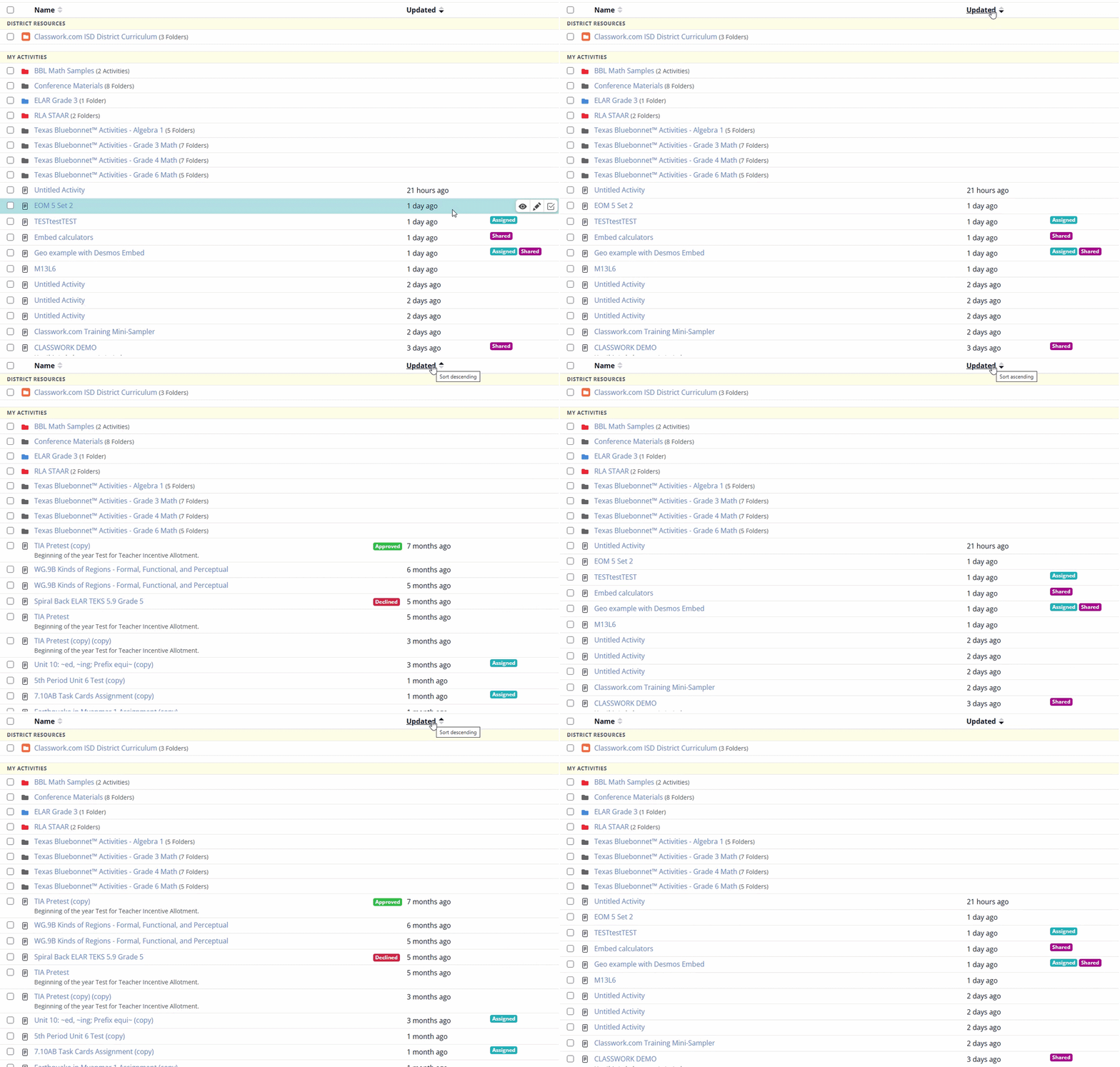
When you sort by Updated on the Activities page:
- Activities not inside folders sort by their last modified date.
- Folders remain in alphabetical order.
- Items inside folders are not affected.
- Activities reorder from newest to oldest or oldest to newest based on your selection.
To sort by Updated:
- Go to your Activities page.
- Select the Updated column header.
Can I Manually Reorder Folders?
Folders cannot be manually reordered or pinned to the top of the Activities page. Folders always follow the sorting option you have selected:
- When sorting by Name, folders appear alphabetically from A–Z or Z–A.
- When sorting by Updated, folders remain in alphabetical order.
If you want a folder to appear higher when sorting by Name, you can rename it so it appears earlier alphabetically.
Sorting Items Inside a Folder
Each folder has its own sorting controls. When you open a folder:
- Activities inside the folder can be sorted by Name.
- Activities inside the folder can be sorted by Updated.
- Sorting affects only the items inside that folder.
- Sorting inside a folder does not change the order of folders or activities on the main Activities page.
To sort items inside a folder:
- Open the folder from your Activities page.
- Select either the Name or Updated column header.
Was this article helpful?
That’s Great!
Thank you for your feedback
Sorry! We couldn't be helpful
Thank you for your feedback
Feedback sent
We appreciate your effort and will try to fix the article