|
|
How to Add Texas OER Materials to Your Account |
How to Add Texas OER Math and RLA Materials to Your Account
Texas OER (Bluebonnet Learning) Math and RLA materials are ready to use in Classwork.com. Add the subject and grade you teach, and you get a folder of ready-made activities, organized by module and lesson, that you can edit and assign. You can add Math, RLA or both.
Add a grade
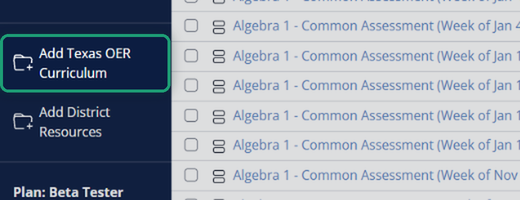
Click Add Texas OER Curriculum in the left menu.
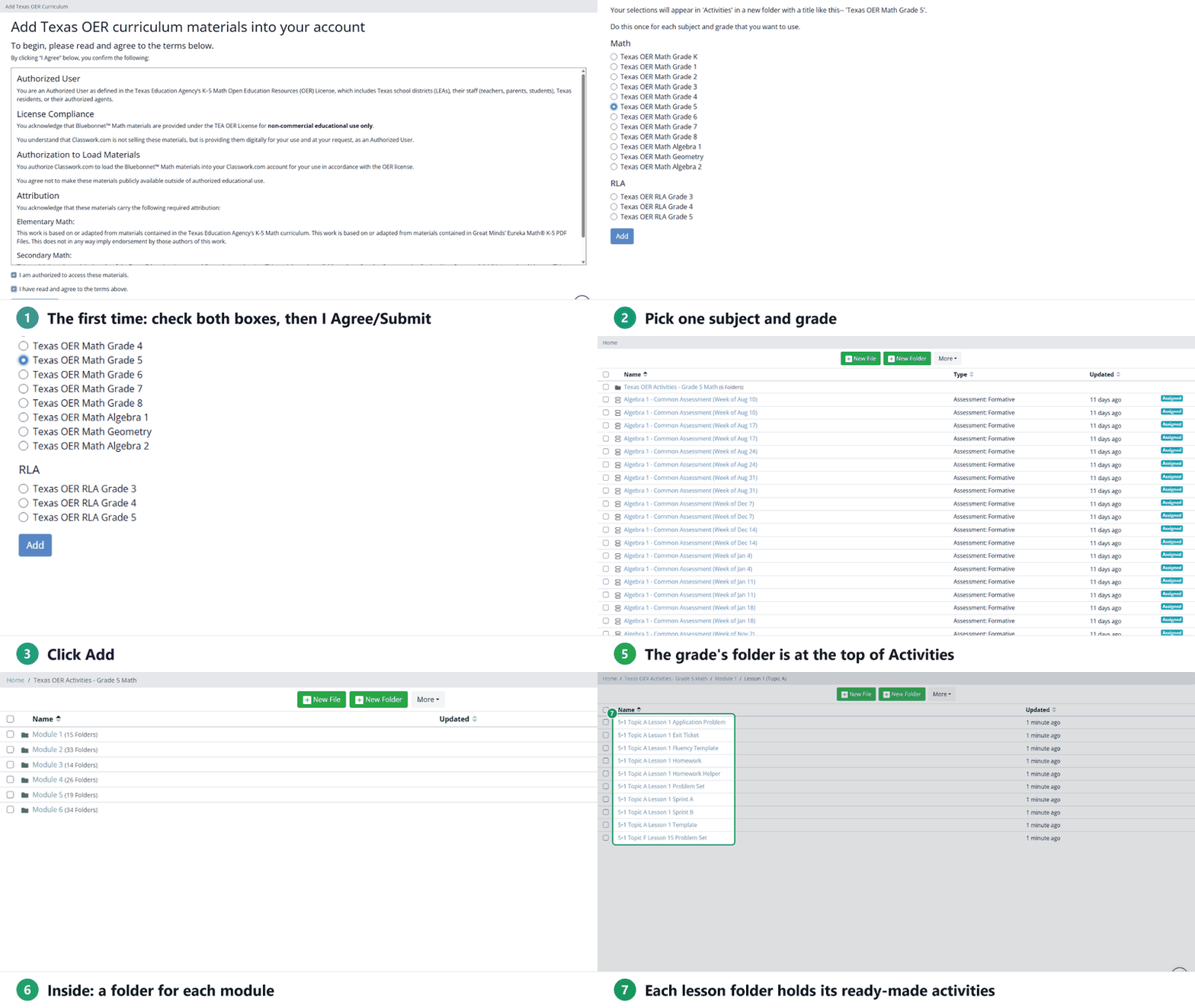
- The first time you open it, read the terms for using the materials, check both boxes and click I Agree/Submit. You only do this once.
- Pick one subject and grade:
- Math: Kindergarten through Grade 8, Algebra 1, Geometry and Algebra 2.
- RLA: Grades 3 through 5.
- Click Add. Copying a full grade takes about a minute, so leave the page open until it’s done.
- When you see The activities have been added to your account, click Go to your Activities.
Add one grade at a time. To add another grade or the other subject, open Add Texas OER Curriculum again and repeat.
Find the materials
Each grade you add appears at the top of your Activities page as its own folder, named for the subject and grade (for example, Texas OER Activities - Grade 5 Math).
- Inside, there’s a folder for each module (Math) or unit (RLA).
- Each of those holds a folder for every lesson, with that lesson’s ready-made activities.
The folder is your own copy. Edit, move or assign the activities like any others; your changes don’t affect anyone else.
Was this article helpful?
That’s Great!
Thank you for your feedback
Sorry! We couldn't be helpful
Thank you for your feedback
Feedback sent
We appreciate your effort and will try to fix the article