|
|
Import Shared Activites |
Import Shared Activities
Got share links or a block of sharing text from another teacher? Import Shared Activities copies them all into your account at once.
Import Activities
- On your Activities page, open the folder where you want the copies to go.
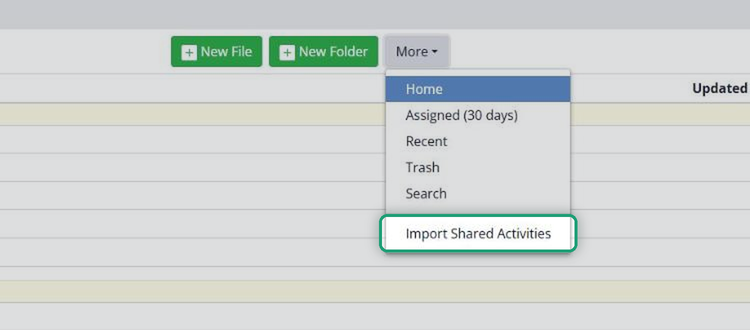
- Click More → Import Shared Activities.
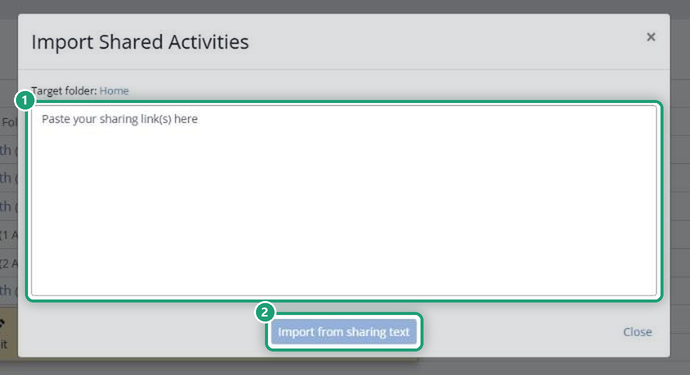
- Paste the share link, several links, or the whole sharing text into the box.
- Click Import from sharing text.
- Check the list of what will be imported, then click Import. If you’ve imported some of the links before, the button says so (“including duplicates”).
The Activities are now yours to edit and assign. Changes you make don’t affect the originals. To import another list, click Start Over.
Related articles
Are you new to Classwork.com? Welcome!
Click here to start your 30 day risk-free PRO trial today.
Was this article helpful?
That’s Great!
Thank you for your feedback
Sorry! We couldn't be helpful
Thank you for your feedback
Feedback sent
We appreciate your effort and will try to fix the article