|
|
Import Content Generated by an AI |
Import Content Generated by an AI
Made questions with ChatGPT, Gemini, Claude, MagicSchool or another AI tool? Copy the text, paste it into Import or Paste Content, and Classwork.com turns it into auto-scored questions with the answer key already set.
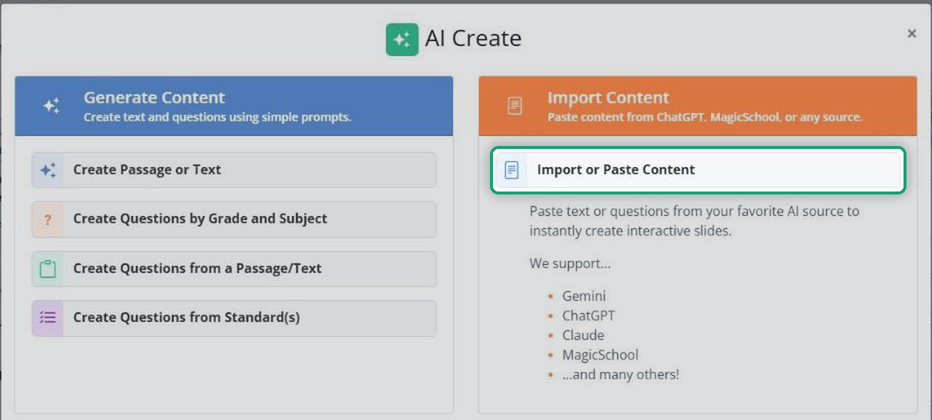
For tips on prompting your AI tool and the question types it can make, see How Do I Import or Paste Content with AI Create?
In the Flex Editor
- Click + Add, then the Create with AI tab.
- Under Import Content, click Import or Paste Content.
- Paste your AI tool’s text into the box and click Import Content.
- Check the preview. Uncheck any question you don’t want, then click Add Questions >>.
- Set the Point value for items and the Font, if you like, and click Add Questions.
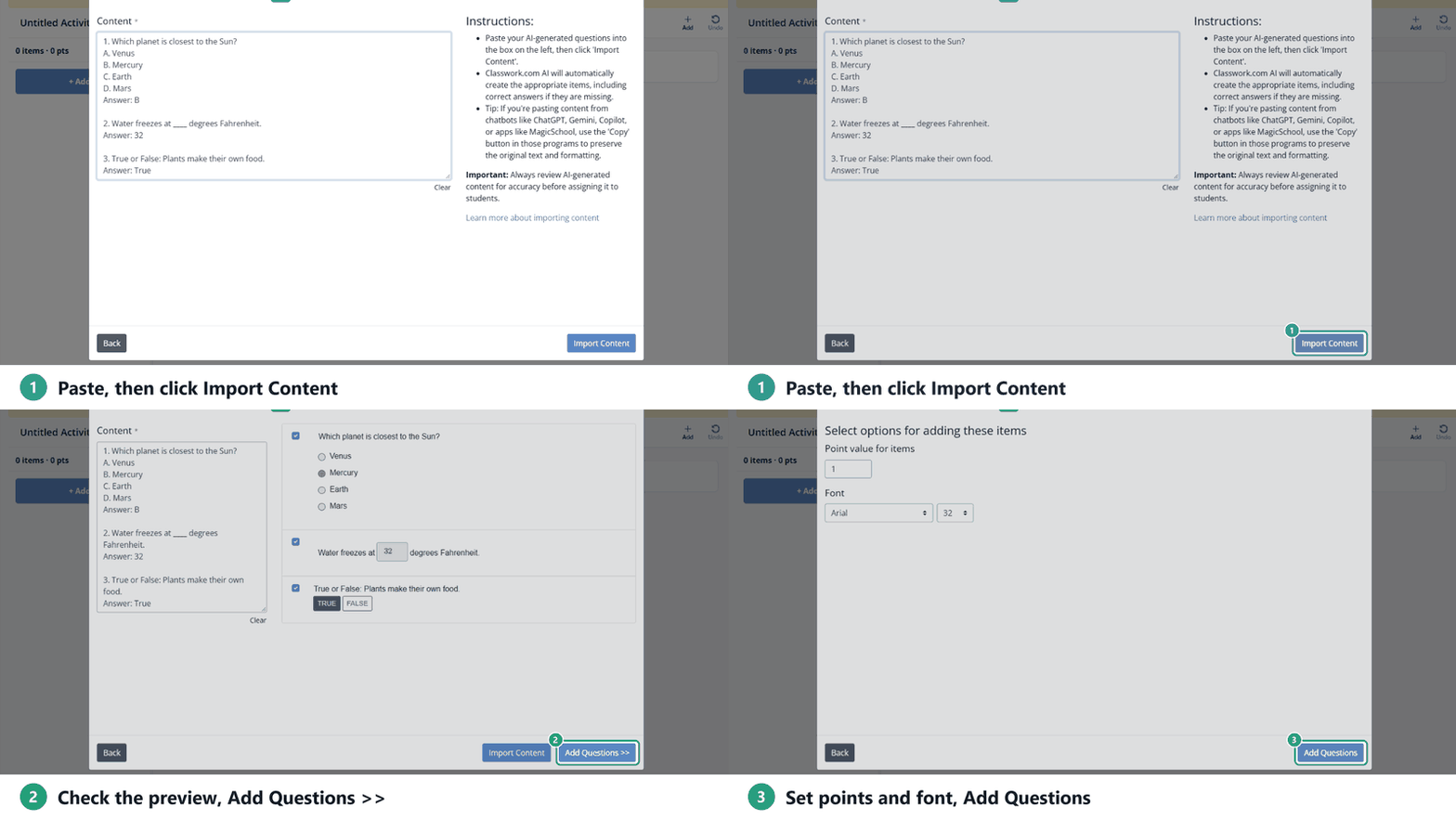
Each question becomes its own item, with its answer key set.
In the Slide Editor
- Click the green AI Create button in the toolbar.
- Under Import Content, click Import or Paste Content.
- Paste your AI tool’s text into the box.
- Set the Point value for items and the Font, if you like.
- Click Go!
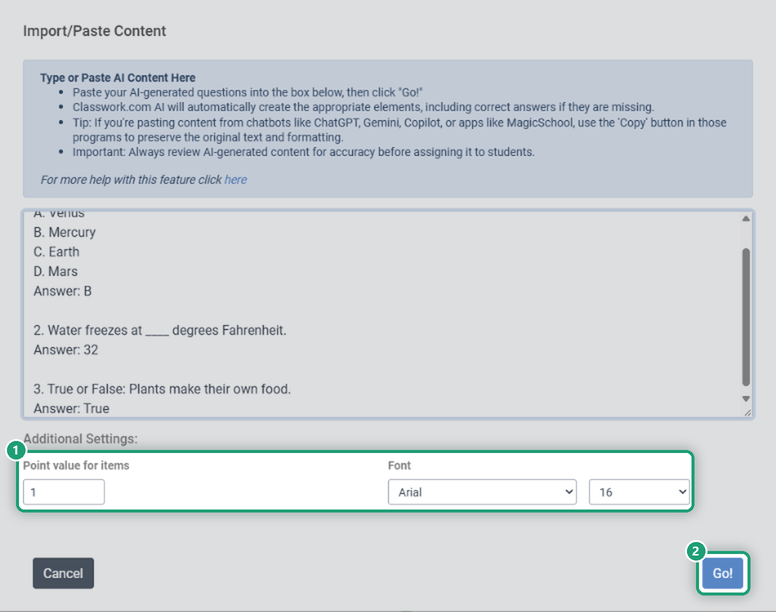
A new slide appears with your questions and their answer boxes. Each paste adds one slide.
Check your work
AI is powerful, but not perfect. Review every question and answer, then use Preview to try the Activity as a student before you assign it.
Was this article helpful?
That’s Great!
Thank you for your feedback
Sorry! We couldn't be helpful
Thank you for your feedback
Feedback sent
We appreciate your effort and will try to fix the article