|
|
Adding an Activity to the Sharing Library |
Add an Activity to the Sharing Library
Adding your Activity to the Classwork Sharing Library makes it available to all PRO teachers. Your thoughtful work can support educators across the globe.
How to Donate an Activity
- From your Classwork home page, open the folder that contains your Activity.
- Click the Activity title to open the Activity Detail page.
- Select the 3-dot menu on the left side of the screen.
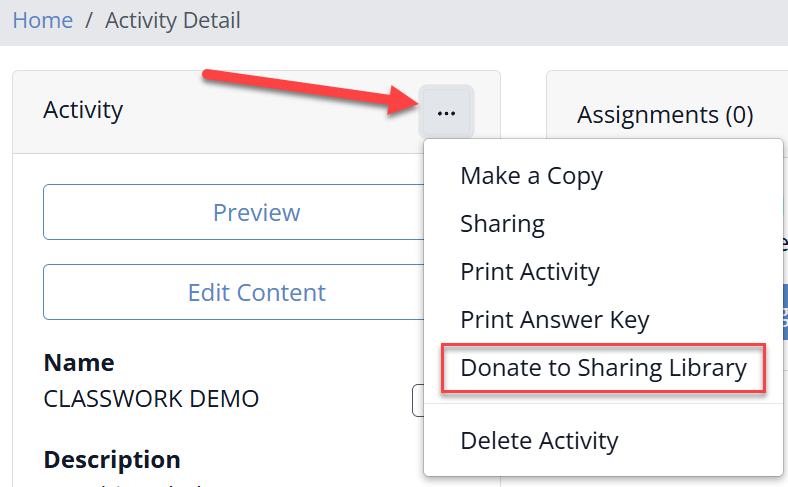
- Select Donate to Sharing Library.
- Enter a title, description, and keywords. Be descriptive so other teachers can easily find your Activity.
- Select the appropriate grades and subjects.
- Agree to the sharing terms and click Submit.
Your Activity will be added to the Sharing Library during the next update cycle.
Are you new to Classwork.com? Welcome!
Click here to start your 30 day risk-free PRO trial today.
Was this article helpful?
That’s Great!
Thank you for your feedback
Sorry! We couldn't be helpful
Thank you for your feedback
Feedback sent
We appreciate your effort and will try to fix the article