|
|
Why is the Time Wrong on My Reports? |
Why Is the Time Wrong on My Reports?
Applies to: Flex Editor & Slide Editor
Classwork.com shows every date and time in your device’s time zone. If a report, a submission or a notification shows the wrong time or date, the time zone on your computer, Chromebook or tablet is probably set wrong.
Fix it
- Open your device’s date and time settings (on Windows, Settings > Time & language; on a Mac, System Settings > General > Date & Time; on a Chromebook or iPad, the Date & Time settings).
- Turn on setting the time zone automatically, or pick your time zone.
- Reload Classwork.com.
On a school device you may not be able to change this. Ask your tech team.
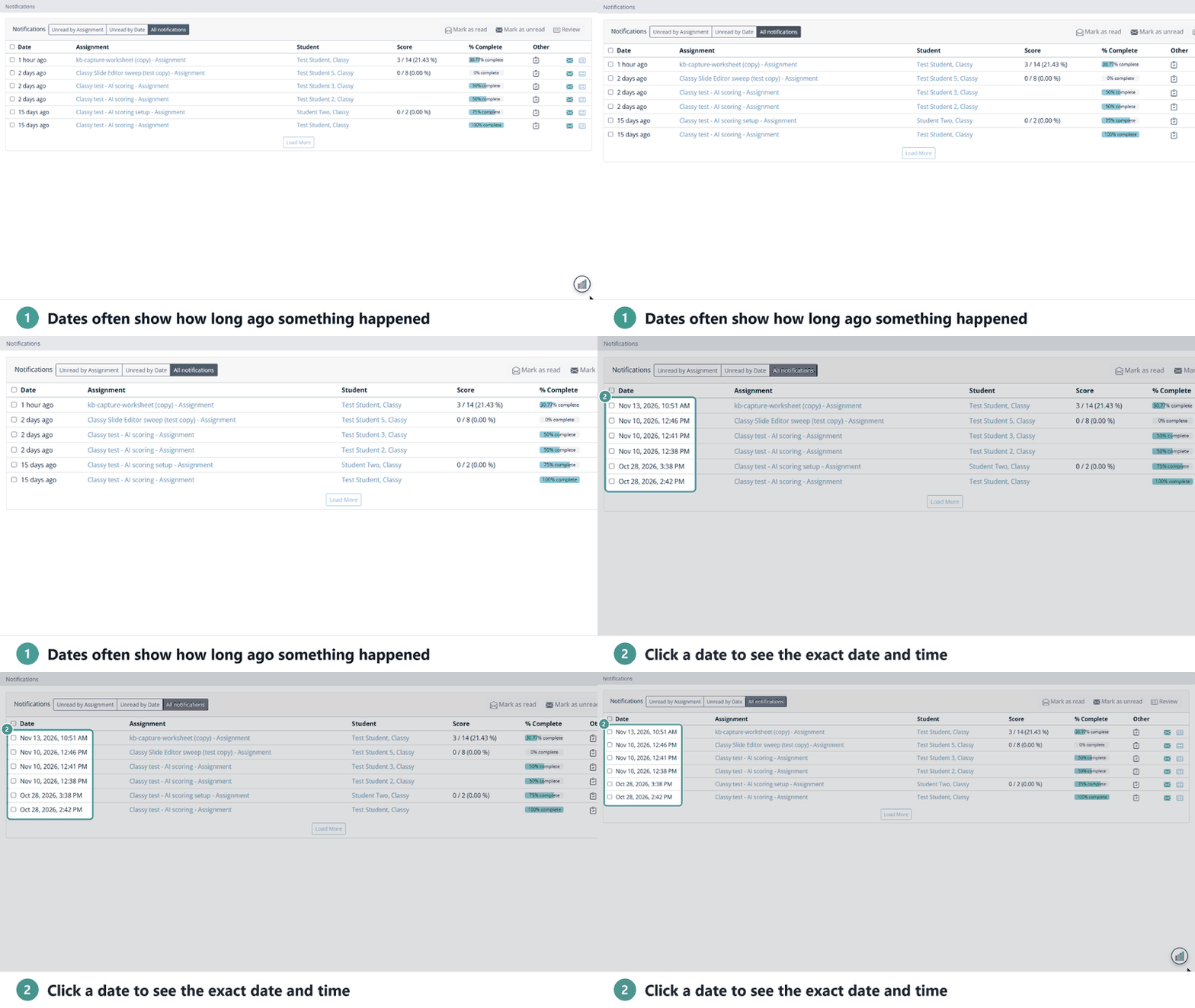
See the exact date and time
Some pages show how long ago something happened (“1 hour ago”). Click the date to switch to the exact date and time.
Are you new to Classwork.com? Welcome!
Click here to start your 30 day risk-free PRO trial today.
Was this article helpful?
That’s Great!
Thank you for your feedback
Sorry! We couldn't be helpful
Thank you for your feedback
Feedback sent
We appreciate your effort and will try to fix the article