|
|
Using the Inline Choice Question Type |
Inline Choice
An Inline Choice question puts drop-down menus inside a sentence or passage. Students pick the right word in context, and Classwork.com scores it for you. It works well for vocabulary, grammar and reading, and in any subject.
Flex Editor
- Click + Add, and on the Add Item tab click Inline Choice.
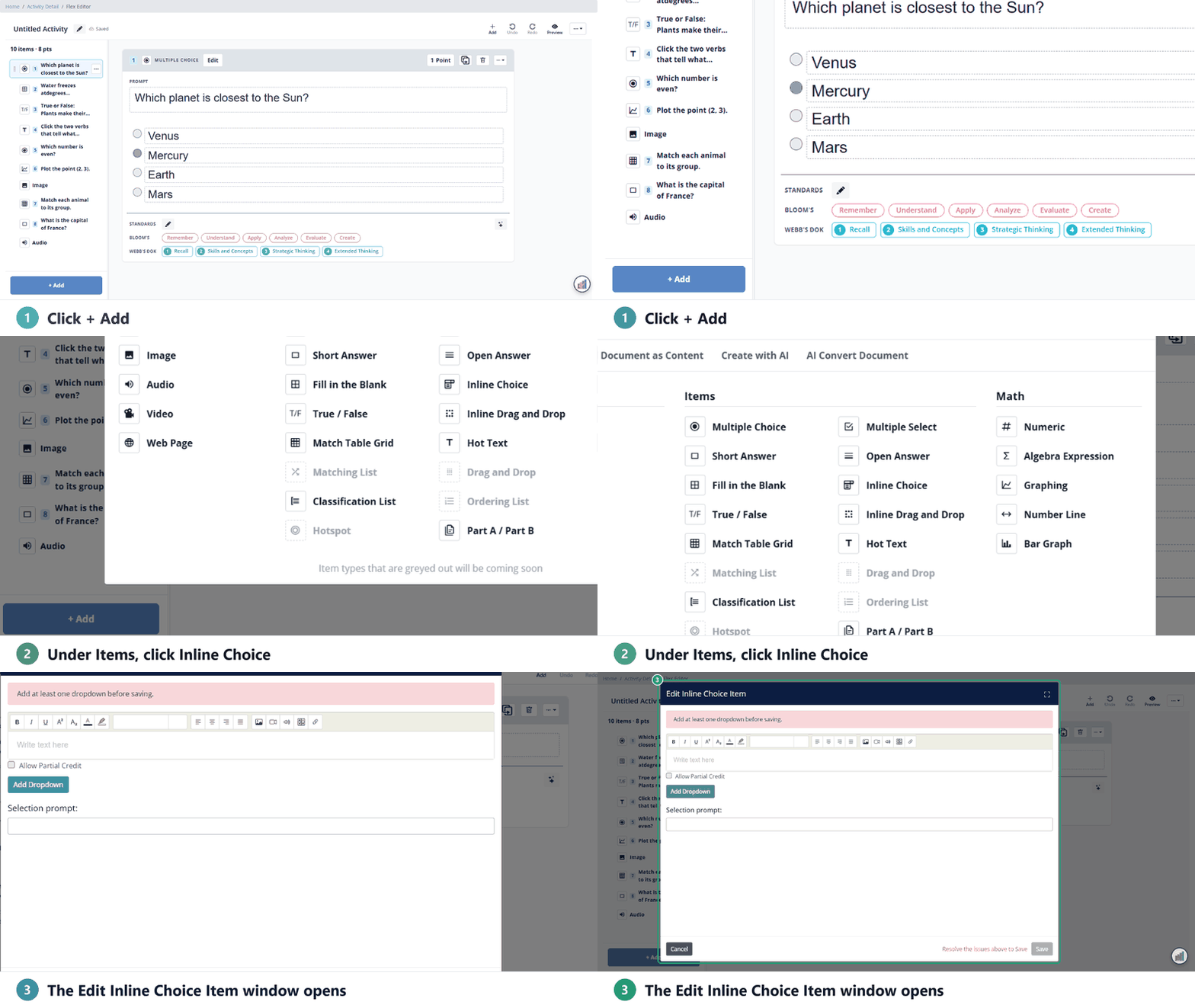
- In the Edit Inline Choice Item window, type your sentence. Put the cursor where a drop-down belongs and click Add Dropdown.
- Type the choices for that drop-down, and click the circle next to the correct one. Click Add choice for more.
- Repeat for each drop-down, then click Save. Each drop-down needs at least two choices with text.
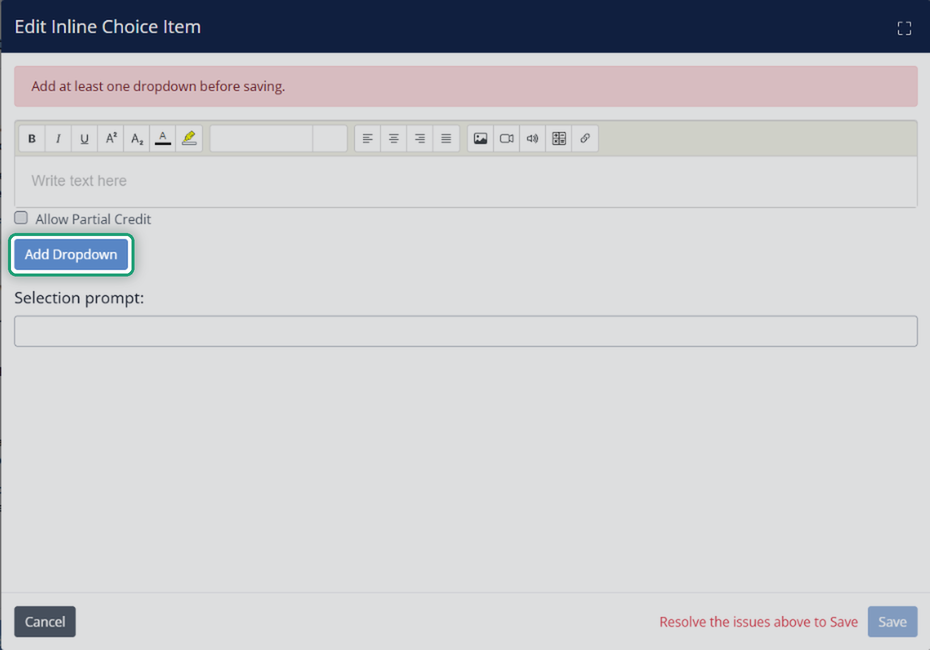
The window works the same way in both editors; the details are below.
Slide Editor
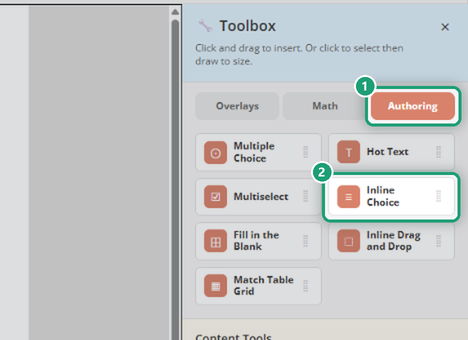
- In the Toolbox, open the Authoring tab and click Inline Choice.
- Click once to place the question, or click and drag to size it. The Edit Inline Choice Item window opens.
Build the sentence (both editors)
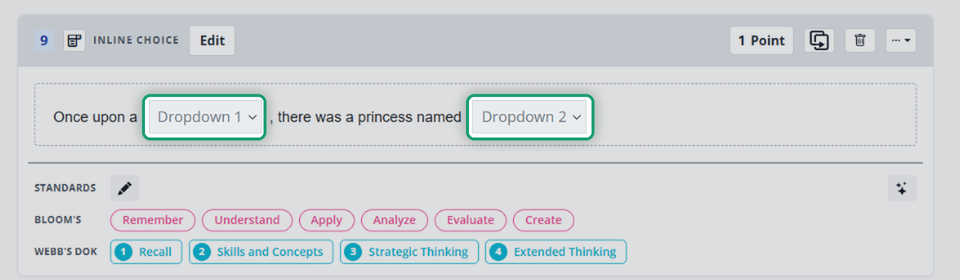
Type the sentence or passage in the text box. Put the cursor where you want a drop-down and click Add Dropdown; it appears at the cursor. For example, in Once upon a time, there was a princess named Cinderella, add one drop-down for time and one for Cinderella.
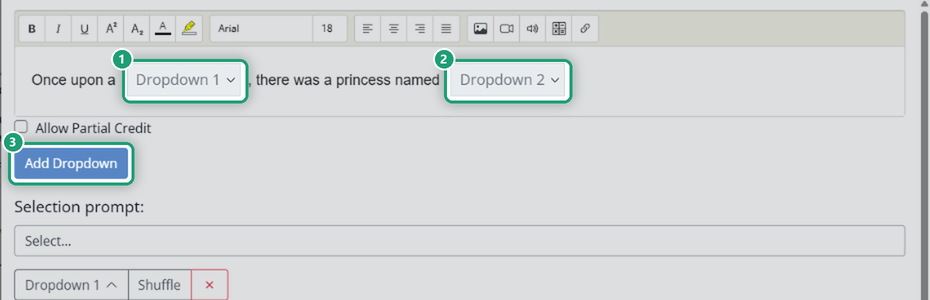
Add the choices
- Type each choice under the drop-down’s name.
- Click the circle next to the correct answer. The first choice is marked correct to start, so you can type the right answer first and click Shuffle to mix up the order.
- Click the red trash can to remove a choice.
- Click the caret next to Dropdown 1 to collapse its choices, or × to delete the whole drop-down.
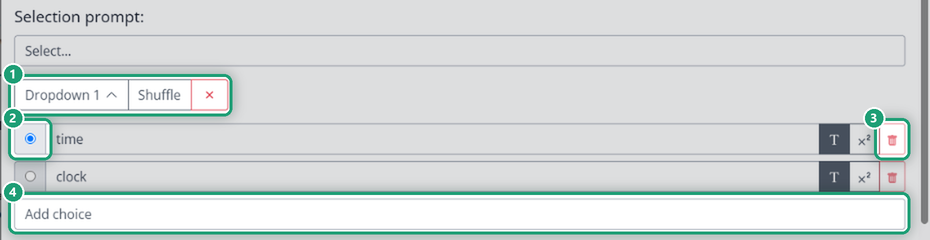
Selection prompt is the text that shows in each drop-down before the student picks, such as Select….
Allow Partial Credit gives points for each drop-down the student gets right. Without it, students must get every drop-down right to earn the points.
Click Save. In the editor, the sentence shows each drop-down by name (Dropdown 1, Dropdown 2).
What students see
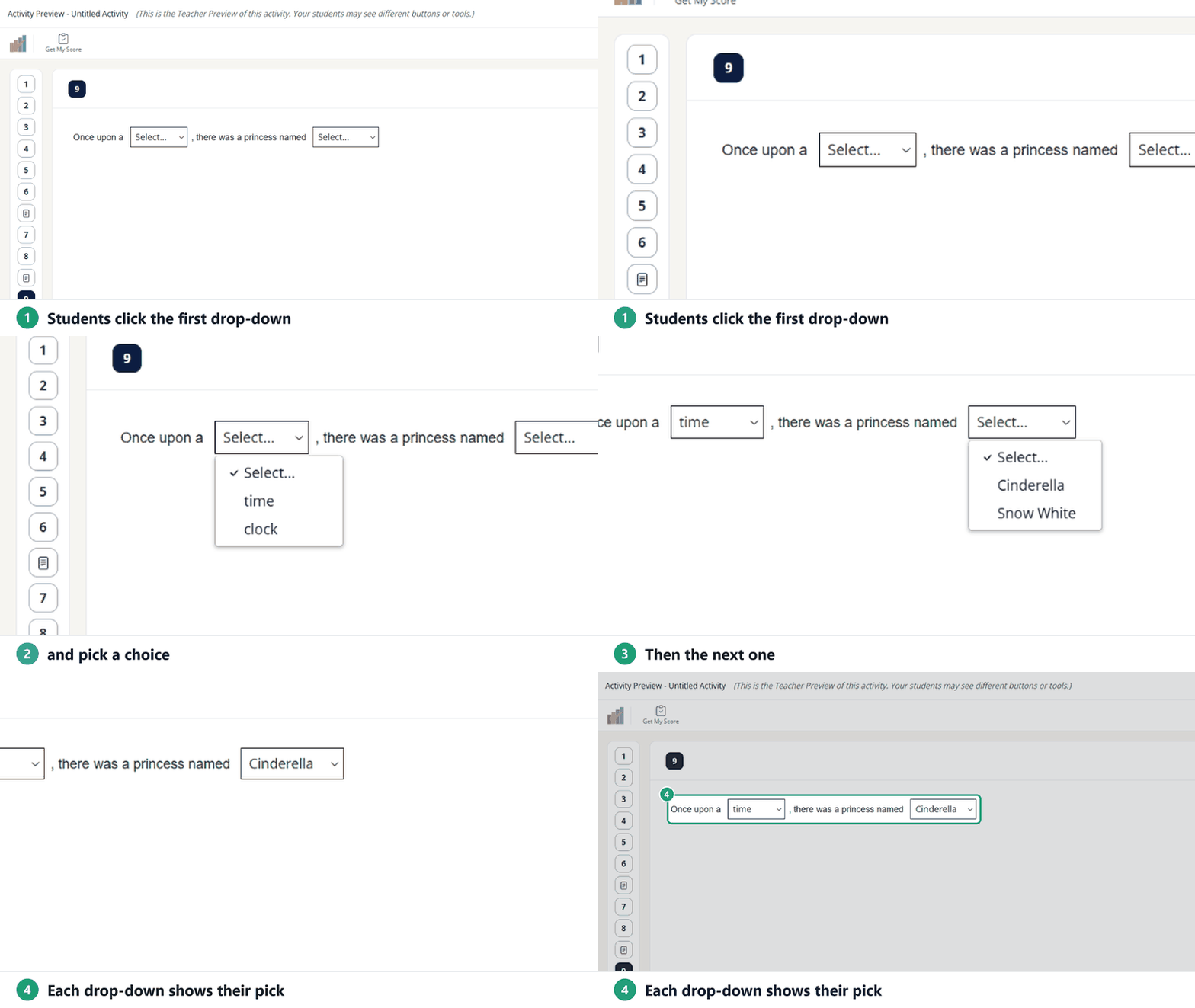
Students see the sentence with a drop-down in each spot. They click each one and pick a choice, which replaces the prompt. Each drop-down is as wide as its longest choice.
Was this article helpful?
That’s Great!
Thank you for your feedback
Sorry! We couldn't be helpful
Thank you for your feedback
Feedback sent
We appreciate your effort and will try to fix the article