|
|
Using the Hotspot Question Type |
Hot Spot Question Type
Classwork.com’s Hot Spot question type lets you create clickable areas (or “hot” locations) on top of an image or background.
Hot Spots are commonly used for prompts like “Click on the state of Texas,” “Which of these are predators?,” or “Identify the tibia.” Some teachers also use Hot Spots to have students cite supporting evidence in reading passages.
Add a Hot Spot
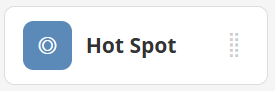
In the Tool Box on the right, under Overlays, click Hot Spot.
 |  |
Your cursor will change to crosshairs. Click and drag to draw the Hot Spot in the size you want.
Set the Answer Key
After placing your Hot Spot, use the Question Toolbar to set the correct behavior:

- Set Correct if: to Clicked if students should click the item to be correct.
- Set Correct if: to Not Clicked if students should not click the item to be correct.
- You can also adjust the points and choose whether the Hot Spot displays with rounded corners.
Pro tip: Use Preview in the View menu to see what your Hot Spots look like to students. Make Hot Spots large enough for easy clicking.
Grouping Hot Spots
You can group Hot Spots so they behave as a single scorable question. When Hot Spots are grouped, students must correctly click or not click every Hot Spot in the group to earn the points.
Create a Hot Spot Group
Click one Hot Spot to select it, then click additional Hot Spots to add them to the same group. Grouped Hot Spots will turn blue.

To remove a Hot Spot from a group, click the Hot Spot, then click Remove From Group on the Question Toolbar.
Setting Group Options
Once Hot Spots are grouped, you can choose how the group behaves. Click any Hot Spot in the group, then click Edit on the Question Toolbar.

- Multiple Choice style: Students can click only one Hot Spot. Clicking a different Hot Spot changes their answer.
- Limited Multiselect style: Students can select up to N Hot Spots, where N is the number marked as Correct if Clicked.
- Unlimited Multiselect style: Students can click any number of Hot Spots.
Was this article helpful?
That’s Great!
Thank you for your feedback
Sorry! We couldn't be helpful
Thank you for your feedback
Feedback sent
We appreciate your effort and will try to fix the article